Discord: The Good, Bad, and The Ugly
Explore the multifaceted world of Discord: The Good, Bad, and The Ugly – your guide to the pros, cons, and safety of this popular chat platform.
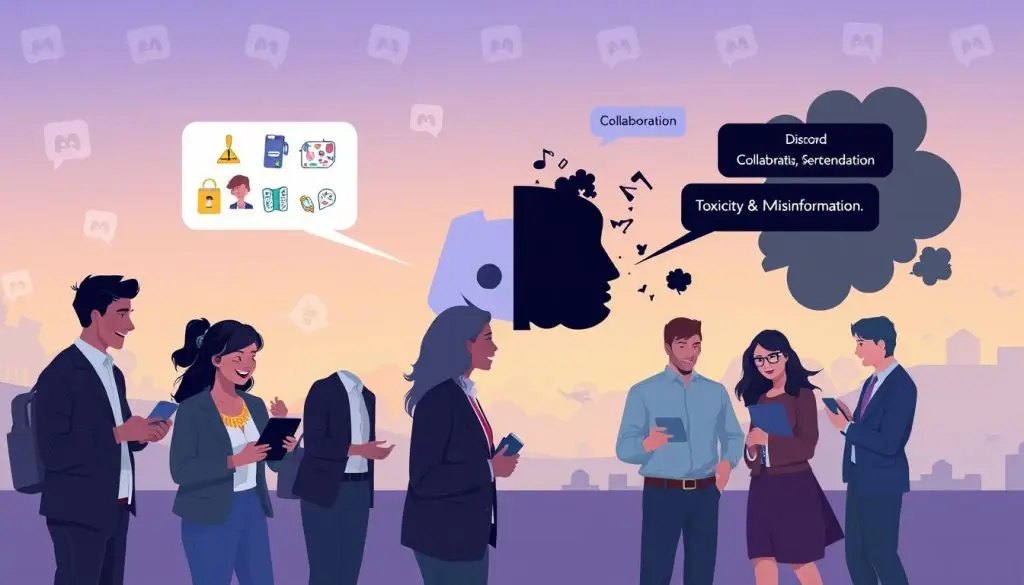
Discord is a key player in online chat for gamers, students, creators, and clubs in the United States. This review aims to answer a simple question: Is it safe for users? We want to give you a balanced view without the hype.
It has its bright spots. It offers fast voice rooms, flexible channels, and helpful bots. But there are also downsides. Users have reported issues such as forced password resets and missing reset emails. They also talk about a lockout loop that makes it hard to sign up. See what people are saying on Reddit.
For MidJourney customers, losing Discord access is a big deal. They can’t create images anymore. MidJourney doesn’t offer refunds for remaining months if you lose access. This creates a challenging situation for many users in the United States.
This review contrasts with other reliable platforms. It shows how critical clear policies and predictable access are. It also looks at how Discord compares to other tech platforms, like this news analysis. We explore what works, what doesn’t, and what needs improvement.
Takeaways
- Weighs real benefits against lockout risks for United States users.
- This Discord platform review examines missing reset emails, forced resets, and a support flow that often requires login. For limited support, see them on X
- Pros and cons include great community tools, but fragile account recovery.
- When access fails, MidJourney buyers cannot generate images, heightening costs and frustration.
- News analysis compares expectations for stable, documented platforms with current Discord pain points.
- Readers ask: Is Discord safe for accounts and paid services tied to it?
- The model of needing one app to use the other creates outsized risk for everyday users and creators.
News Snapshot: Discord platform review, user pain points, and the MidJourney dependency problem
This brief gives a clear view of how a chat app became key for creative work. It mixes U.S. tech news with real reports. Readers will see Discord’s good, bad, and ugly sides, from access to the MidJourney dependency.
Breaking down the pros and cons of Discord’s users for the U.S.
Discord’s good points include live voice rooms and project channels. It also has bot tools that grow with your needs. Servers for groups, gaming, and news teams thrive here.
But users face website issues, odd errors, and uneven emails. This sharpens the focus on Discord’s pros and cons in real work. For more context, see this note on platform shifts in U.S. tech news.
When access fails: Why purchasers of MidJourney can’t generate images without Discord
The MidJourney bot runs in its channels. Without server access, users can’t prompt or get images. Even premium accounts need server access and bot availability.
For creators, the platform becomes essential infrastructure. A login issue can stop work, delay client projects, and block archives.
Account recovery roadblocks: Password reset emails not arriving, and forced resets
Users are forced to reset their passwords after “suspicious activity” is detected. Reset emails often don’t arrive, even after many tries. The account stays locked, and projects freeze.
These stories highlight broken recovery paths. They differ from expectations in terms of ease of use, clear prompts, and reliable support across devices.
Customer support gaps: “You can’t submit a ticket without logging in” dilemma
People get stuck in a loop: to reach support, they need to log in; to log in, they need recovery. Without human help, the loop continues.
This experience shapes Discord’s reputation for users who rely on it. It sets high expectations for quick, human help when usual steps fail.
Refund and cancellation friction: MidJourney login allows cancellations but offers no refunds on remaining months
MidJourney says it can’t fix Discord account issues. Users can cancel plans, but will not receive refunds for any remaining months. This can be costly for freelancers and small studios.
For them, this can mean losing hundreds of dollars while work stalls.
Why this is a risky business model: Needing one app to use the other
Dependence on one platform for another raises risk. A single login failure can halt the whole workflow. The MidJourney dependency shows how a helpful bridge can become a bottleneck.
This Discord review shows that its best features are fragile when access is unavailable. This tension is a big story in U.S. tech news.
Discord: The Good, Bad, and The Ugly
The platform is a key tool for work and fun. It offers great collaboration but can be unreliable. This balance is key for those who use it for work, learning, or fun.

The good: Best features for communities, creators, and study groups
Discord’s best parts are its organized servers and voice rooms. Creators can host Q&A sessions and share drafts. Study groups can work together and meet in voice calls.
It also integrates with GitHub, YouTube, and Twitch. This keeps conversations organized. Many use it with an AI assistant to stay focused.
The bad: Website functionality issues and unreliable email-based recovery loops
Resetting accounts can be a nightmare. Emails might not arrive, causing loops that block logins again. This makes Discord less valuable.
Users expect clear recovery steps. Without them, Discord’s support can be frustrating.
The ugly: Locked-out creators, sunk subscription costs, and no path to human support
Locked-out creators lose time and money. They can’t work while locked out. This can lead to wasted subscription costs.
Discord’s failures can be costly. A single problem can halt creative work, resulting in lost time and money.
Is Discord safe? Privacy concerns, account security, and suspicious login flags
Users wonder if Discord is safe. Suspicious login flags can trigger resets without email. This raises privacy concerns.
Safety is a chain. Email, 2FA, and reliable recovery links must work together. If one fails, the whole system is at risk.
How to use Discord effectively while mitigating lockout risk
To use Discord well, start with redundancy. Enable 2FA, store backup codes, and use a reliable email. Have a second admin and a backup server to avoid total lockouts.
- Avoid tying key work, like image generation, to a single login.
- Maintain alternative channels—such as email lists, Slack, or a website—for urgent updates.
- Test recovery paths twice a year to confirm messages arrive on time.
These steps help balance Discord’s pros and cons. They also make it safer and more reliable.
Safety, policy, and moderation: Discord privacy concerns and community guidelines in practice
Safety begins with clear rules. Teams that outline expectations have fewer conflicts and smoother conversations. They make rules easy to understand, assign roles based on risk, and consider how their members actually use Discord.
Discord’s speed and reach are great, but issues like lockouts and spam can be problems. To use Discord well, teams need to set clear rules that everyone can follow.
Practical Discord chat moderation tips for server owners and mods
Post a living rule set that follows Discord community guidelines and pin it. Keep a short list of dos and don’ts for new members. Tag examples of good posts to encourage the right tone and pace.
- Use slowmode in hot threads and set media limits to cut drive‑by spam.
- Deploy AutoMod with clear filters; review caught items daily.
- Create a mod escalation ladder and log actions for later review.
These tips help balance voice and safety in busy rooms. They also acknowledge Discord’s pros and cons.
Reducing harm: Backup admin roles, emergency contact channels, and role-based access
Having backups keeps a server stable. Assign at least two trusted admins and a small team of moderators. Limit powerful permissions to specific roles, and avoid giving server-wide admin by default.
- Maintain an off-platform emergency channel via email or SMS for lockouts.
- Document handover steps so others can act if an owner is unavailable.
- Segment sensitive channels; grant access only when duties require it.
This structure keeps conversations moving when privacy concerns or outages happen. It shows how to use Discord effectively without single points of failure.
Security hygiene: Email hygiene, 2FA, device trust, and avoiding forced-reset spirals
Choose a reliable email provider, verify deliverability, and check filters often. Enable 2FA with an authenticator app and store backup codes offline. Review trusted devices and revoke old sessions.
- Rotate recovery methods two times a year and test a mock reset.
- Keep a brief runbook so mods know what to do if resets fail.
- Use unique passwords and audit logins for unusual locations.
These steps lower risk during flagged logins and follow the Discord community guidelines. For more on resilient workflows, see this guide to process tuning that values clarity and security.
Content operations: Structuring channels, audits, and transparent rule enforcement
Organize channels by purpose and label them clearly. Archive old threads and do quarterly audits to update permissions. Keep a visible log of actions, reasons, and timeframes.
- Use templates for reports and appeals to speed fair outcomes.
- Pin key FAQs so members can self-serve policy answers.
- Index resources so newcomers see paths to contribute safely.
This approach tackles Discord privacy concerns and shows how to use Discord effectively every day. It reflects the ongoing balance within discord: the good, bad, and the ugly that every growing community must shape through consistent practice.
Discord: Conclusion
In this review, Discord’s strengths and weaknesses are clear. It offers fast speed, voice chat, and flexible channels. But issues like account lockouts and forced resets without email delivery are significant concerns. These problems are even bigger when using Discord with MidJourney.
When access is lost, image creation stops, and there are no refunds for remaining months. For many, Discord is a constant trade-off between creativity and access.
To stay safe, it’s vital to be proactive. Use backup admin roles, backup codes, and check email delivery. Enable 2FA and trusted devices, and have a plan for moderation and access.
Also, diversify your workflows to avoid being stuck if Discord goes down. These steps help you use Discord effectively while avoiding common problems. In short, Discord needs a plan, not just a login.
Creators want simple access, intelligent search, privacy, security, and reliable sync across devices. This standard is key for services that power real work. It reminds us of the importance of having a backup plan.
Clear rules and steady distribution help communities thrive. These lessons show how to make Discord safe. They point to disciplined setup, shared ownership, and redundancies that lower the risk of lockouts and support gaps.
For U.S. users, the key is to keep Discord central but not the only option. Document policies, map escalation paths, and test recovery flows. For more on planning and user-friendly design, see this brief on hosting a welcoming event.
With steady habits and layered safeguards, teams can enjoy Discord’s benefits. They can keep momentum when the platform’s strengths shine or stumble.