iPhone 17 Battery Life Test: How Long Does It Really Last?
Discover the endurance of the iPhone 17 with our comprehensive battery life test – find out just how long your device can last with everyday use.
iPhone 17 Battery Life Test
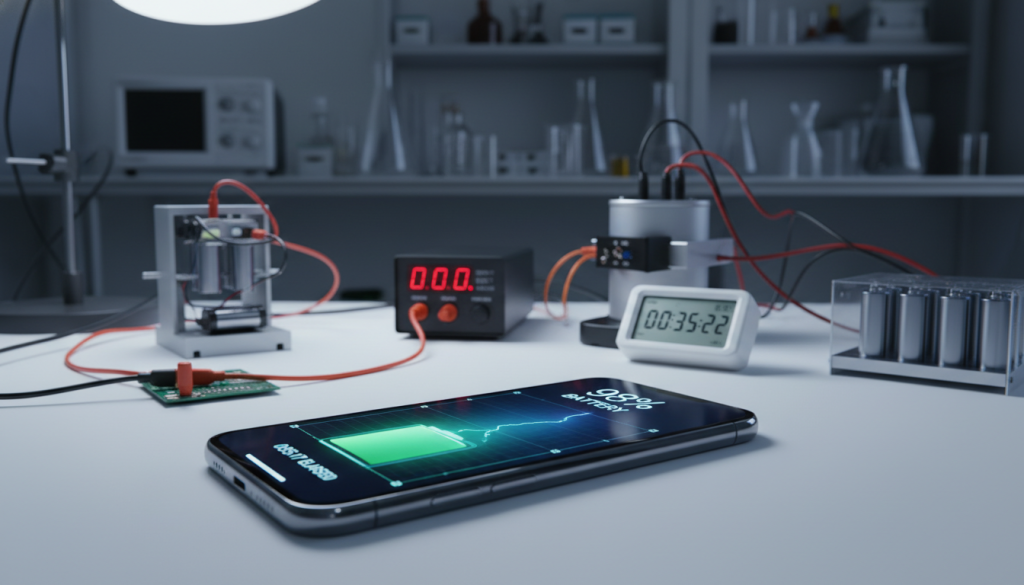
iPhone 17 Battery Life Test: Phone makers often say their batteries last all day. But buyers want to know the truth. This test shows how long the iPhone 17 battery really lasts, from morning to night. Also see iPhone battery capacity explained.
Battery life is a big reason people buy new phones. A CNET/YouGov survey in September 2025 found it’s second only to price. So, we need to test the iPhone 17’s battery to see how it performs in real-world use.
This article uses two ways to test the battery. First, it logs screen time and battery drain for six days. It uses the same method as a real-world battery diary. Second, it runs lab tests such as video streaming and a 45-minute endurance run.
The first results are promising. The iPhone 17 Pro Max can last two full days with light use. Sometimes, it even lasts three days. The guide also talks about battery aging and when to replace it, based on Apple’s guidelines.
By the end, you’ll know how to test the iPhone 17’s battery yourself. You’ll also understand what “all-day” battery life really means for your daily life.
iPhone 17 Battery Life Test Key Takeaways
- This test focuses on real, measurable results, not just marketing claims.
- Battery life is a top reason to upgrade in the US, just behind price, in a September 2025 CNET/YouGov survey.
- The article uses two methods: a six-day diary and lab tests for accurate comparisons.
- The diary shows the iPhone 17 Pro Max can last two days with light use and sometimes three days.
- The test also considers battery aging and when replacement is worth it.
- Expect clear, everyday-use metrics, not just synthetic scores.
Overview of the iPhone 17 Specifications
The iPhone 17 lineup seems like a simple update on paper. It has new chips, brighter screens, and faster wireless. But, in real life, battery life depends on silicon efficiency and Apple’s fine-tuning of hardware and iOS. This is key for any review of the iPhone 17’s performance.
In CNET’s battery rankings, the iPhone 17 Pro Max tops the list. It does so despite having a “relatively average” battery size. CNET also ranked overall brand results, with Apple leading at 91.7%. This shows why endurance is linked to power management, not just battery size.
Key Features That Impact Battery Life
The A19 Pro chip is a big factor in battery life. It offers speed without wasting heat. Display settings, like adaptive refresh and brightness, also play a role. Small software tweaks can make a big difference in battery life.
- Low Power Mode reduces background activity and trims peak performance when needed.
- Background App Refresh and Location Services can be dialed back per app to cut idle drain.
- Keeping iOS updated can help, as Apple often ships efficiency tweaks and bug fixes.
For a simple checklist of iPhone settings to reduce power drain, follow this iPhone settings guide. Choose the settings that fit your routine.
Comparison with Previous Models
When comparing iPhone generations, CNET’s example is enlightening. Capacity alone doesn’t predict runtime. In its testing, the base iPhone 17 tied for second place with the OnePlus 15, despite a smaller battery. This shows that mAh isn’t the only factor.
For the Pro Max line, year-over-year changes in battery size are important. But they only make sense in the context of the efficiency story. The next section will explore what’s inside the cell and how it works with the A19 Pro and iOS scheduling. This is the practical way to improve iPhone 17 battery performance without relying on specs alone.
iPhone 17 Battery Capacity: What’s Inside?
Talking about batteries often starts with a number. But it’s not the whole story for those looking for long battery life in the iPhone 17.
Apple’s Pro Max battery has grown over time. This bigger battery helps with long days, thanks to efficient chips and smart power management.
Understanding the mAh Rating
mAh measures how much charge a battery can hold. A higher mAh Rating means more screen time. But it only works well if the phone’s hardware and software use power efficiently.
- iPhone 13 Pro Max: 3,095 mAh
- iPhone 14 Pro Max: 3,200 mAh (+3.4%)
- iPhone 15 Pro Max: 3,274 mAh (+2.3%)
- iPhone 16 Pro Max: 3,582 mAh (+9.4%)
- iPhone 17 Pro Max: 4,252 mAh (US eSIM model) / 3,988 mAh (global model)
These increases are clear on paper. Yet, reported capacities can vary. This is why a battery test is more useful than just looking at specs.
How Battery Capacity Influences Usage
Battery life is more than just size. Efficiency of the chip, 5G radios, display brightness, and app use all play a role. These factors change how long the battery lasts.
Tests show surprising results. In CNET’s reporting, capacity didn’t always match rankings. The newest iPhones performed well against rivals, even with lower mAh numbers. Battery test results show how optimization keeps up, even with higher mAh numbers.
“Apple put a bigger battery in the phone so there’s a bigger gas tank.”
For those interested in the iPhone 17’s battery life, remember. Capacity is just one piece of the puzzle. Pair it with a battery test that shows how people use their phones.
Real-World Battery Life: User Experiences
To understand the iPhone 17 battery life, they kept a six-day “battery diary”. It was on an iPhone 17 Pro Max, starting with 100% battery health and 7 battery cycles. This made it easier to compare each day’s use.
They also watched for software issues that could affect the results. For example, iOS 15.4.1 fixed battery drain in some apps, as noted in wireless updates and battery fixes.
Average Daily Usage Patterns
Most days followed a routine. They spent about two hours a day on Instagram and YouTube. This mix is important for keeping the battery alive.
The diary focused on simple metrics: percent drained and total screen time. It avoided extra tweaks that most users wouldn’t follow.
Battery Life Across Different Activities
The dataset below shows how much the battery drained each day. It includes a heavier day during a car trip. It shows a real week of use with a variety of activities.
- Thursday: 36% drain, 2h 48m screen time
- Friday: 20% drain, 2h 17m screen time
- Saturday: 61% drain, 4h 19m screen time (heavier use during a car trip)
- Sunday: 41% drain, 4h 40m screen time
- Monday: 48% drain, 4h 52m screen time
- Tuesday: 39% drain, 3h 20m screen time
The test showed how the battery performs in real life. It tracked use of social apps, video, and time away from the charger. This diary can help extend the battery life by identifying when it’s used more.
“A battery diary works best when it tracks what happens, not what someone hopes will happen.”
iPhone Battery Life Test Methodology
Battery numbers seem simple, but they’re not. To make an iPhone 17 battery life test useful, they keep conditions steady and record changes. Small changes in brightness, Wi‑Fi vs. cellular, and background syncing can significantly affect results.
Many reviewers use repeatable routines, such as CNET’s large-battery test. This helps reduce outside noise. At home, they follow the same mindset: one phone, one routine, and clear notes explaining why the battery drops faster on some days.
Testing Conditions and Setup
Before starting, they set a baseline. They charge to 100%, note the iOS version, and check Battery Health for maximum capacity. They also record the cycle count if available, as older cells drain differently than new ones.
- Fix display settings: turn off Auto-Brightness and True Tone, then select a single level and keep it there.
- Lock connectivity: choose Wi‑Fi for streaming tests, or cellular for a separate run, but don’t mix them.
- Reduce background variability: pause non‑essential app refresh and limit extra device-to-cloud syncing during the test window.
For a lab-style approach, they keep brightness near a measured target, such as 150 nits. They also turn off adaptive features that “help” but also change power draw. This includes attention-aware options, location services, and Bluetooth when they aren’t part of the scenario.
Measuring Techniques Used
To capture real life, they can follow a simple logging method over nearly a week. Each day, they track battery drop by percentage, screen time, and a short app-use journal (Instagram, YouTube, Maps) to explain spikes. These methods focus on patterns, not a single lucky day.
- Start mornings at 100% and note the time.
- Record battery percentage at lunch, late afternoon, and bedtime.
- Log Screen On Time and Screen Off Time from Settings.
- Write a one-line note when heavy tasks happen, like a long video call or a game session.
For controlled benchmarks, they can run two repeatable sessions modeled on common outlet routines. One is a 3-hour Wi-Fi video stream at full brightness, starting at 100%. The other is a 45-minute endurance mix: gaming, video viewing, social scrolling, and a video call, also starting at 100%.
Lastly, battery-saving features should be documented, not guessed. If Optimized Battery Charging or Low Power Mode is on, it belongs in the notes because it can change behavior and results; a quick refresher is outlined in battery settings guidance. With that context in place, an iPhone 17 battery life test becomes easier to compare from day to day.
Screen On vs. Screen Off Time
When we talk about battery life, we often confuse two things: screen-on time and screen-off time. Screen-off time is affected by background sync, notifications, and signal strength. It can be hard to predict. On the other hand, screen-on time is easier to understand. It shows how much time we spend actively using our phones.
Average Screen-On Time for Users
A six-day test on an iPhone 17 Pro Max showed an average of 9 hours 23 minutes of screen time per 100% charge. This is similar to 7 hours 31 minutes per 80% charge, which is how many people charge their phones. It’s also like 56.3 minutes of screen time per 10% battery, useful for quick checks while on the go.
The same test on an iPhone 17 Pro showed 5 hours 20 minutes of screen time. The Pro Max lasted nearly 9.5 hours. This difference can change how often we charge our phones, affecting our daily habits.
Impact of Display Brightness on Battery
Brightness has a big impact on how long your screen stays on. CNET’s test runs a 3-hour video at full brightness to show how much power it uses. TechRadar’s test keeps the display at 150 nits and turns off dynamic brightness for consistent results.
For everyday use, adjusting the display brightness is like controlling a fuel valve. To save battery power, people often lower the brightness indoors and increase it only when outside. This helps extend battery life in real-world scenarios.
5G Connectivity and Battery Consumption
5G is fast, but it uses more power from the iPhone 17’s modem. To make the battery last longer, it’s important to know what the phone and network are doing. Signal strength and tower changes happen often.
CNET’s video rundown is a good way to start. It involves streaming for three hours over Wi-Fi at full brightness. This test helps find out how 5G affects battery life.
How 5G Affects Daily Battery Life
In everyday use, 5G can drain the battery during video calls, streaming, and navigation. The phone works harder to find a strong signal or switch towers. This can increase power use, even when just scrolling.
To save battery, start with simple habits. Use steady brightness, turn off background refreshes, and choose Wi-Fi when possible. A test shows Wi-Fi is often better for battery life because it’s closer to the router.
They can compare networks with a simple test:
- Choose a task, like streaming for 30 minutes or scrolling.
- Keep brightness and volume the same each time.
- Do the task on 5G, then on Wi-Fi or LTE in the same place.
- Track the battery drop and screen time after each test.
Comparing 5G and 4G Usage
LTE might be better in weak signal areas, even if it’s slower. Switching to LTE in crowded places or large buildings can save battery power. This helps the modem not work too hard.
Apple’s work on efficiency is also important. The iPhone 17 Pro Max stays high in rankings, even with smaller batteries. This shows the A19 Pro and iOS can help manage power use.
Practical strategies should involve consistent testing. Don’t follow strict rules because 5G effects can vary. Keep settings the same for a fair comparison between 5G and LTE.
App and Gaming Performance on Battery Life
Choosing apps can drain your battery more than settings. In an iPhone 17 performance review, it’s important to look at daily use, not just lab tests.
Apple made the iPhone 17 more efficient in many ways. It has a bigger battery and uses less power when busy. Better heat control also helps it stay cool during long use.
For a better understanding, compare iPhone 17 battery life details with your own app use.
Heavy-Use Apps That Drain the Battery
Apps that use a lot of power hit two areas: the screen and data radios. Instagram and YouTube are big users, keeping the screen on and networking active.
Common patterns include:
- Short-form social scrolling with frequent refreshes and auto-play
- Video streaming at higher brightness and higher volume
- Video calls that keep cameras, microphones, and Wi‑Fi or 5G running
Gaming Tests and Results
CNET tested battery life with a mix of activities for 45 minutes. The iPhone 17 Pro Max topped the list, with other Apple models close behind.
For a home test, follow a similar routine each day. This helps account for changes in background sync and temperature.
- Pick a fixed 30–60 minute playlist: one game segment, one streaming segment, one social feed scroll, and one video call.
- Lock brightness and volume, and keep the same network type for each run.
- Start at 100%, note the percent drop at the end, then repeat on at least three different days.
In an iPhone 17 performance review, real habits are key. Heavy users see bigger changes from gaming and video, while light users notice smaller changes.
Optimizing Battery Life on the iPhone 17
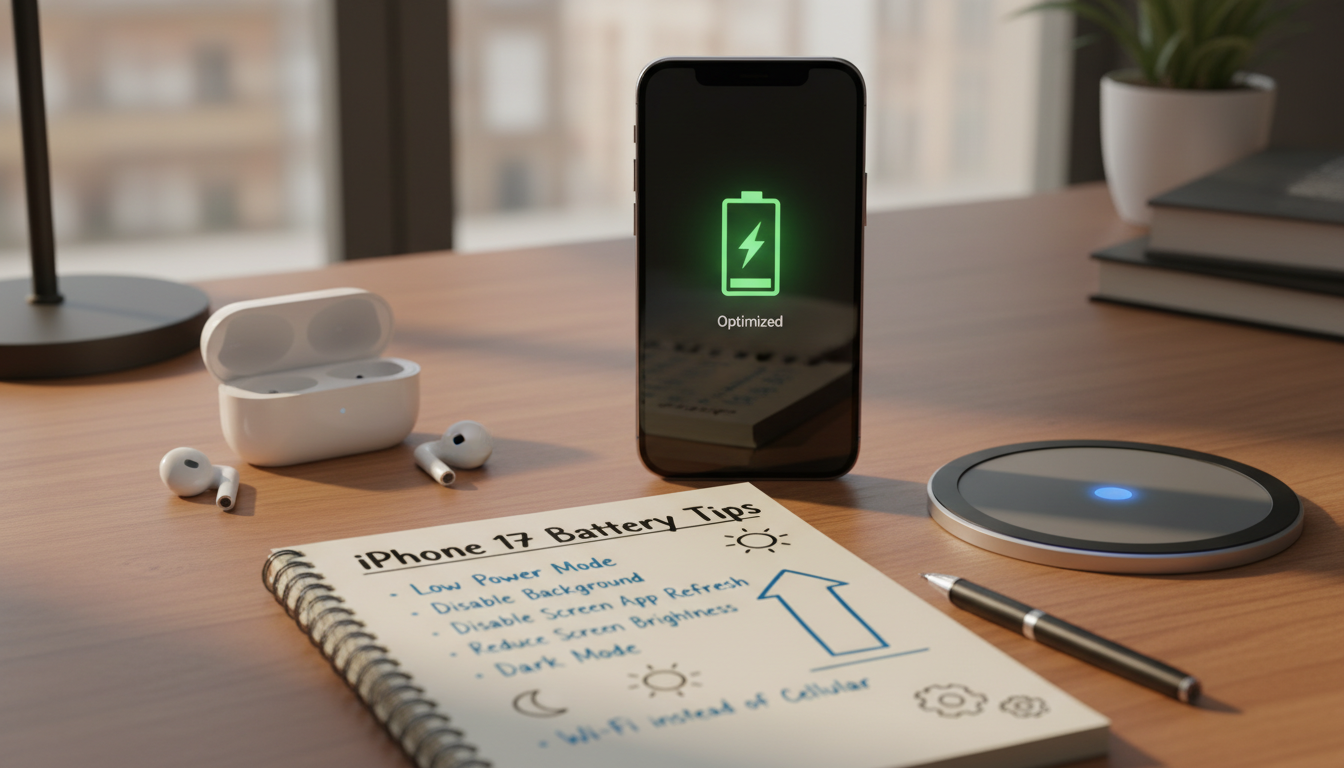
Battery tests seem tough, but the habits behind them are simple. A few steady settings can cut down on surprise drain. This keeps performance steady and predictable. These tips work best when they match daily phone use.
Tips for Users to Extend Battery Longevity
Brightness is a big factor. Lowering it or setting a cap helps. This way, the display doesn’t use full power for long.
Auto-Brightness is helpful, but checking manually before long trips also helps.
- Turn down brightness before video, maps, or long browsing sessions.
- Use Wi‑Fi when it is stable, and avoid searching for weak signals.
- Switch off Bluetooth and Location Services when they are not needed.
- Limit extra account syncing during heavy-use moments to reduce background churn.
Expectations play a role, too. Web browsing, streaming video, and travel days drain differently. To keep the battery long-lasting, adjust settings for each activity.
Features Designed to Preserve Battery
iOS has tools to smooth out power spikes. Low Power Mode reduces background activity and fetch. This helps during long days.
App Background Refresh controls also keep busy apps from working when the screen is off.
For daily routines, set Focus modes to reduce wake-ups from notifications. Review Battery usage by app and trim the worst offenders. Used together, these tips support steady performance and help extend battery life.
Battery Health Management with iOS
Battery life tests are more meaningful when they include battery health. The iPhone 17 Pro Max had 100% maximum capacity after 7 battery cycles. This shows that a phone can seem the same every day, even as its battery health changes slowly.
To keep your iPhone 17 battery in top shape, check its health first. A new battery will last longer than an old one, even if you do the same things. This is because older batteries can wear out faster.
Understanding Battery Health in Settings
To see your battery’s health, go to Settings, then Battery, and then Battery Health & Charging. Look at Maximum Capacity and any performance messages. If the maximum capacity is low, your battery’s endurance might also be lower, even if you use your phone the same way.
Also, check the cycle count in Apple’s device analytics. It helps explain why two iPhones might not be the same. For fair comparisons, make sure their health, cycles, and software are similar.
Strategies for Maintaining Optimal Health
For better battery life, keep testing conditions the same. Changing brightness, background refresh, and location access every week makes it hard to see battery aging. Keeping things consistent helps you better understand changes.
- Keep brightness consistent during repeat tests, using the same level indoors and outdoors when possible.
- Hold background activity steady by keeping the same app refresh and notification habits.
- Watch charging behavior with Optimized Battery Charging turned on, even for overnight charging.
- Recheck health over time so small drops in Maximum Capacity are not mistaken for heavier usage days.
To maximize your iPhone 17 battery lifespan, track its health and control variables. This way, changes will show up naturally. These tips help keep comparisons fair as time goes by and the cycle count increases.
Comparisons with Competitors: Who Stands Out?
Reviewers often look beyond specs to see what really matters. They compare the iPhone 17’s battery life with Samsung, Google, Motorola, and OnePlus. The iPhone 17’s performance is also key, as speed, heat, and radios affect battery life.
Benchmarking Against Other Flagship Phones
CNET puts the iPhone 17 Pro Max at the top in battery life. It beats many phones with bigger batteries. This makes the iPhone 17’s battery life test results very interesting in the US.
CNET also says the base iPhone 17 is tied for second with the OnePlus 15. Despite a smaller battery, Apple’s brand scores higher than many others. This shows how important efficiency is, not just battery size.
TechRadar uses real-world tests to compare devices. In a five-hour video stream, the iPhone 17 Pro Max lasted 88%. The Samsung Galaxy S25 Edge lasted 67%. In web browsing, the iPhone 17 lasted longer than the iPhone Air.
User Preference in Battery Life
CNET notes that battery life is a big factor for buyers. A September 2025 survey by CNET/YouGov agrees. For those choosing between ecosystems, the iPhone 17’s battery life and performance are key.
Future Improvements in Battery Technology
Battery tests show there’s room for growth. CNET found the iPhone 17 Pro Max lasted long, even without the latest battery tech. This suggests we can get even better battery life with new materials and designs.
Apple’s battery sizes are getting bigger. The iPhone 17 Pro Max has a big battery, with the US eSIM model at 4,252 mAh and the global model at 3,988 mAh. This shows Apple will add more battery when it fits the phone’s design.
What to Expect in Next-Gen iPhones
Future iPhones might get better batteries through new chemistry and efficiency. Apple could use new cell packaging and improve the A19 Pro chip. This could mean less battery drop during heavy use.
Users want batteries that last all day, not just in tests. They notice how well a battery lasts during travel, work, and play.
Trends in Smartphone Battery Innovations
TechRadar said the iPhone Air, despite its thin design, performed well. This shows Apple is focusing on tuning and display controls, not just thicker batteries. It means we can expect reliable battery life in everyday use.
- Denser cell packaging to reduce wasted space inside the frame
- More efficient modems to smooth out power spikes on 5G
- Smarter iOS power management that adapts to streaming, gaming, and browsing patterns
As these trends continue, they could help the iPhone 17 battery last longer in real-world use. The next step is likely many small upgrades working together.
Conclusion: Is the iPhone 17 Worth It?
The iPhone 17 lineup shines in battery life. The iPhone 17 Pro Max leads with 17 hours 54 minutes on Tom’s Guide’s 5G web test. The iPhone 17 Pro follows with 15 hours and 32 minutes. The iPhone 17 and iPhone Air are closer to the middle.
Real-world tests also show the Pro Max’s strength. It lasts two days, sometimes three, with light use. It also performs well in Wi-Fi video streaming and mixed-use endurance.
Final Thoughts on Battery Performance
The iPhone 17 Pro Max holds its own against Android flagships. The OnePlus 13 lasts 19 hours 45 minutes. Samsung’s Galaxy S25 Ultra and the iPhone 16 Pro Max last 17 hours 14 minutes and 17 hours 17 minutes, respectively. For a quick comparison, check these battery test results.
Making the Decision to Upgrade
For US buyers, the iPhone 17 Pro Max is a clear upgrade. The iPhone 17 Pro is a good second choice. If you use your phone a lot outdoors, for gaming, or on 5G, try some battery-saving tips first.
Start by keeping a 3–7 day battery diary. Then, run a benchmark test to compare. Use tips and strategies to improve your battery life.