Does MagSafe Damage Battery Health on iPhone 17?
Does MagSafe Damage Battery Health on iPhone 17? Discover the truth about wireless charging impact, heat concerns, and expert tips to protect your device.

We may earn a commission when you purchase through links on this page, at no additional cost to you.
Does MagSafe Damage Battery Health? Many iPhone 17 owners worry that wireless charging technology will shorten their device’s lifespan. But the truth is, worries about MagSafe charging and battery health are mostly not true. Apple has implemented strong safety measures in both hardware and software to keep your device secure. Shop MagSafe Chargers.
Your iPhone 17 is made to keep 80% of its original capacity after 1000 full charge cycles. This shows Apple’s trust in the technology. The latest models can charge up to 25W fast, thanks to Qi2 certification, without shortening your device’s life. The best iPhone cases under 50 dollars.
The real reasons for battery wear aren’t the charging method. Heat and a high state of charge are the main causes. If your device gets too hot while charging, iOS will show a “Charging On Hold” notice until it cools down.
Knowing this helps iPhone 17 users make better charging decisions. The next parts will dive into the science of wireless charging and give tips for keeping your device in top shape.
Does MagSafe Damage Battery Health? Key Takeaways
- Apple has engineered complete hardware and software protections for wireless charging systems
- iPhone 17 models keep 80% capacity after 1000 full charge cycles under normal conditions
- Temperature control is more important than the charging method for keeping your device long-lasting
- The latest models support up to 25W power delivery with Qi2 certification
- iOS automatically stops charging when devices get too hot to prevent damage
- Good charging habits are more important than whether you use wired or wireless options
Understanding MagSafe Technology
MagSafe technology is key to keeping your iPhone’s battery healthy. It uses magnetic precision to charge your device. Knowing how it works helps you make better choices for your phone.
Apple created MagSafe to address issues with older wireless charging. It keeps your phone in place while charging. This means no more finding a dead phone in the morning. See the Best iPhone 17 cases for drop protection.
Apple’s Magnetic Charging Innovation
MagSafe is Apple’s take on wireless charging. It adds magnets to improve charging. This technology is a step up from older magnetic connectors used in MacBooks.
The first iPhone 12 had MagSafe. Now, iPhone 17 models are the most advanced. They show how far the technology has come.
MagSafe has two main parts:
- Wireless charging coils in both the charger and the iPhone
- Magnetic alignment rings around these coils
- Communication protocols for power delivery
- Temperature sensors to watch heat levels
The magnetic ring is key. It makes sure coils line up perfectly. This boosts efficiency and cuts down on heat and energy waste.
The Science Behind Magnetic Wireless Power
Charging starts when you put your iPhone on a MagSafe charger. The magnets snap it into place. This ensures the coils align for efficient power transfer.
Electromagnetic induction is how power moves. The charger’s coil creates a magnetic field. This field makes an electric current in the iPhone’s coil, charging the battery.
The steps are:
- User places iPhone near MagSafe charger
- Magnets guide the phone into perfect alignment
- Charger and iPhone communicate to verify compatibility
- Power transfer begins through electromagnetic induction
- The system continuously monitors temperature and adjusts power delivery
Coil alignment is critical for charging. Misaligned coils waste energy as heat. MagSafe solves this problem.
Efficient wireless chargers, like those with Qi2 certification, also use magnetic alignment. This shows wireless charging can be both easy and efficient.
Charging speeds vary by iPhone model and adapter. iPhone 17 can charge up to 25W peak wireless charging with a Qi2 charger and 30W adapter. Earlier models charge at 15W with the same setup.
Newer models can handle more power safely. This is thanks to better battery management and coil designs. The iPhone 17 has improved heat dissipation and charging algorithms.
MagSafe isn’t just for charging. It also supports accessories like wallets and stands. This shows Apple’s vision for how we use our devices.
Temperature control is key for MagSafe. It has sensors to watch heat levels. If it gets too hot, charging slows down to protect the battery. This keeps the battery healthy and charges it quickly when possible.
Battery Health Basics
Keeping your iPhone 17’s battery healthy starts with knowing what really harms it. It’s important to understand how batteries age. The truth is, Apple MagSafe battery deterioration worries often come from not knowing how batteries work.
All rechargeable batteries, like those in iPhones, age over time. This happens no matter how you charge them. Whether it’s wired, wireless, or MagSafe, iPhone cells slowly lose power.
What Affects Battery Health?
Heat is the biggest enemy of battery life. Studies show significant differences in battery life with temperature. For example, cells stored at 60°C can last only 26 weeks, while those at 40-50°C can last 100 weeks.
The charge level also affects aging. Batteries degrade faster when always charged to 100%. This is why keeping your iPhone plugged in too long can wear it out faster.
Several key factors affect how fast batteries age:
- Depth of Discharge (DoD): Letting your phone die completely is worse than topping it up around 50%. Keeping it between 20% and 80% can help it last longer.
- Temperature Extremes: Both very hot and very cold temperatures harm battery chemistry. Heat speeds up damage, while cold makes it harder for the battery to hold a charge.
- Charging Speed: Fast charging makes more heat because it pushes power in quickly. This extra heat stress accelerates chemical breakdown in cells.
- Calendar Aging: Even unused batteries get older over time—higher temperatures and being kept charged all the time accelerate this aging process.
Knowing these factors helps iPhone 17 owners focus on what really matters for battery care. Controlling temperature and smart charging habits are more important than the charging technology used.
Myths About Battery Longevity
Many people believe old advice about battery care. These myths come from older nickel-cadmium batteries, not modern lithium-ion ones. Knowing the truth helps avoid unnecessary worries.
The overnight charging myth is common. Many think charging their iPhone overnight damages it. But iPhones have built-in protection that stops charging at 100%. They then run on wall power without continuously charging.
Another myth is that you must fully discharge batteries before charging. This was true for old nickel-cadmium batteries but harmful for lithium-ion batteries. Shallow discharges actually help extend battery life compared to deep discharges.
The myth about wireless charging damaging batteries also needs attention. Some think wireless charging is worse for batteries than wired charging. This isn’t true. The real issue is heat, not the charging method. Wireless charging can generate more heat, but this depends on the charging quality and speed, not on the technology itself.
Fast charging worries are also common. Fast charging does generate more heat, but Apple’s systems manage it. The iPhone 17 checks the temperature and adjusts charging speeds to protect the battery.
By understanding these myths, users can focus on real battery care. Managing heat and keeping charge levels moderate is more important than avoiding certain charging methods. The discussion of Apple MagSafe battery deterioration often overlooks basic battery chemistry principles.
How MagSafe Charging Works
MagSafe charging is a smart way to power your iPhone 17. It combines wireless power transfer with magnetic alignment. This makes charging easier and more efficient than other wireless methods.
MagSafe uses magnets in both the iPhone and the charger. These magnets snap the charger into place perfectly. This ensures the charging coils line up correctly.
Getting the coils to align is key. When they do, power transfer becomes more efficient. This means less energy is lost as heat, which helps your battery last longer.
Apple designed MagSafe chargers to work best. They use special coil setups to send power to your battery efficiently. This also means less heat buildup during charging.
Software also helps keep your battery safe. iPhones watch the temperature while charging. If it gets too hot, the phone adjusts or stops charging until it’s safe again.

Benefits of MagSafe for Charging
MagSafe offers more than just convenience. It has many benefits that make charging better for iPhone 17 users. These features are great for those who want to use the latest iPhone features.
Key benefits include:
- Foolproof alignment that eliminates the guesswork of wireless charging pads
- One-handed attachment that makes connecting a charger effortless
- Reduced energy waste compared to standard Qi wireless charging
- Built-in thermal management that protects battery health automatically
- Ability to use the phone while charging without losing connection
The magnetic connection gives a satisfying click when attaching your phone. You’ll hear it and feel it snap into place. This confirms it’s aligned without checking the screen.
Temperature monitoring keeps your battery safe. The iPhone’s processor constantly checks the heat levels. If it gets too hot, it slows down charging to protect your battery.
Qi vs. MagSafe: Key Differences
Qi and MagSafe are two different wireless charging technologies. Qi charges iPhones up to 7.5W, while MagSafe can charge up to 25W for iPhone 16 and 17 models. This means MagSafe charges faster but also generates more heat.
iPhone 17 devices are designed to handle these higher speeds safely. Apple’s systems manage the heat to keep your battery healthy.
The charging speed comparison breaks down like this:
- Standard Qi charging: Up to 7.5W for iPhones
- MagSafe for iPhone 12-15: 15W maximum
- MagSafe for iPhone 16-17: Up to 25W with appropriate power adapter
- USB-C wired charging: Fastest option with best energy efficiency
MagSafe is less efficient than wired charging because some of the energy is converted into heat. But the newer Qi2 standard has magnetic alignment, reducing energy loss from misalignment.
Following proper charging habits helps maintain battery life. While Qi charging is cooler, it takes longer. MagSafe balances speed with safety, protecting your battery over thousands of charges.
Impact of MagSafe on Battery Health
Many iPhone 17 users worry that their MagSafe charger harms their battery. The truth is, MagSafe is not harmful to battery health when used correctly. Apple has built many safety features into the charging system and iOS software to keep batteries safe during wireless charging.
People worry about heat and charging speed affecting battery health. Both are important for battery life, but MagSafe doesn’t harm them when used correctly.
Apple made MagSafe to be efficient and long-lasting. It manages heat well, has a smart coil design, and constantly checks on things. This means you can charge wirelessly without worrying about your battery.
Heat Production and Its Effects
Charging always makes some heat. This is because of how electricity changes. MagSafe might make a bit more heat than other chargers because it charges faster. But Apple’s design keeps the heat low.
The warmth you feel is from energy lost as heat. This happens with the phone and the charger. That’s why they feel warm when charging.
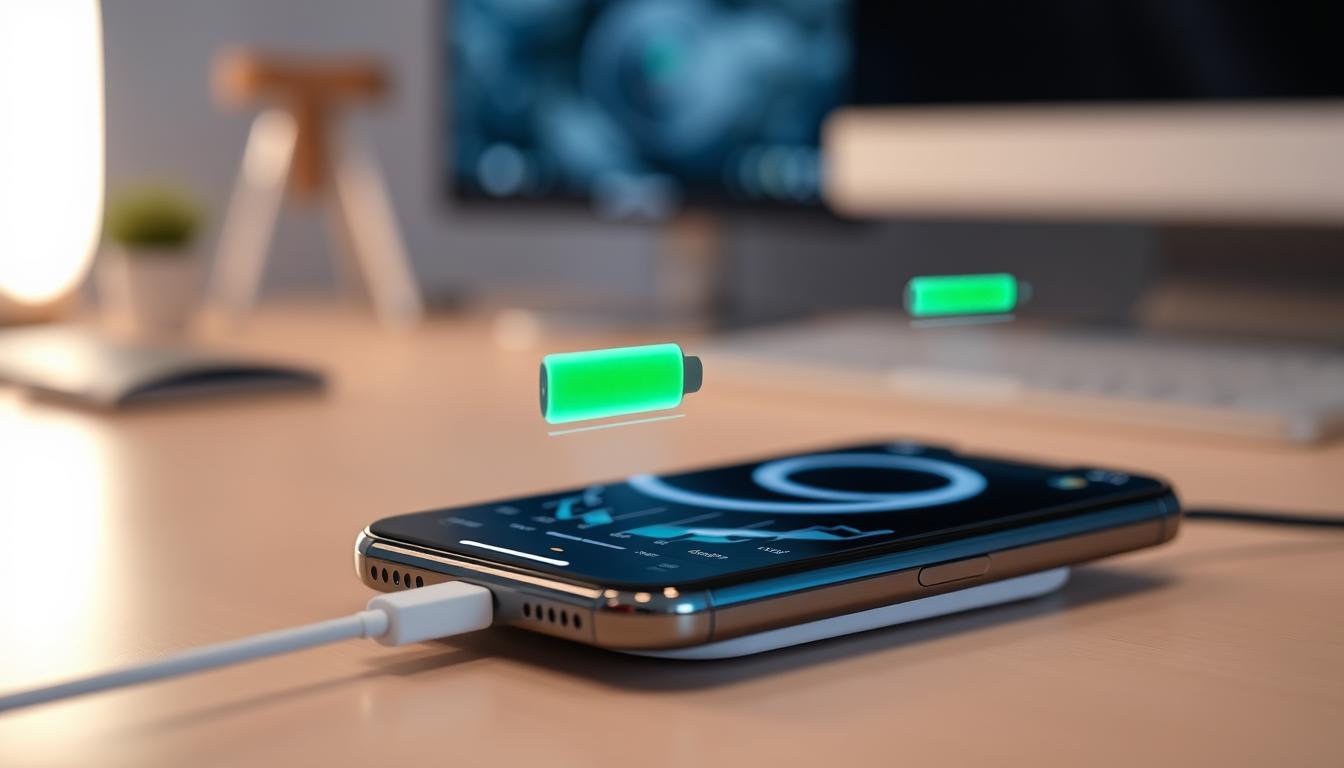
iPhone 17 models have special thermal throttling mechanisms to protect batteries. These systems watch the temperature closely. If it gets too hot, they slow down charging or stop it to avoid damage.
You might see “Charging On Hold” on your iPhone 17 screen. This happens when iOS sees it’s too hot. This is normal, not a problem. Charging starts again when it’s safe.
Here’s how it works:
- Temperature sensors check the battery and device temperature often
- When it gets too hot, charging slows down
- If it keeps getting hotter, charging stops
- The system tells you what’s happening
- Charging starts again when it’s safe
MagSafe’s heat levels are safe for your battery. It might get a bit warmer than standard Qi charging because it charges faster. But it’s not bad for your battery’s life.
Charging Speeds and Battery Life
iPhone 17 models can charge up to 25W with MagSafe. This is faster than before. But does it hurt your battery? The science says no.
Lithium-ion batteries have a special charging curve. They charge fast at first, then slow down. This protects them from damage.
This curve is used in all MagSafe chargers for iPhone 17. As the battery gets full, the charger slows down. This makes less heat and helps your battery last longer.
The benefits are:
- Charges faster when you need it most
- Less stress on battery cells when full
- Less heat in the final charging phase
- Longer battery life with smart power management
Apple cares about your battery’s life. iPhone 17 models can keep 80% capacity after 1000 charge cycles. This is a big improvement over earlier models.
The charging speed is smart and works in the background. You get faster charging without hurting your battery. The iPhone 17 manages power based on your battery’s state, temperature, and usage.
Tests show MagSafe is good for your battery. Users who charge with MagSafe have battery health comparable to that of users who use cables. It’s all about how you charge and your environment.
Knowing how MagSafe affects battery health lets iPhone 17 owners charge without worry. It has many safety features to keep your battery healthy for thousands of charges. Used right, MagSafe is convenient and safe for your battery.
Best Practices for Using MagSafe
Using MagSafe wisely can help iPhone 17 users charge without harming their battery. By following a few simple tips, you can get the most out of wireless charging. It’s all about knowing how your environment and daily habits affect charging.
Keeping Your Device Cool During Charging
Heat is the biggest enemy of battery health when using MagSafe. Make sure your iPhone 17 and charger have good air flow. Never charge your device under pillows, blankets, or cushions because they trap heat.
The place where you charge matters a lot. In a hot car, the dashboard can get up to 69°C. This heat can quickly damage your battery.
Keeping the charger and phone clean is key to good charging. Apple says to place the charger on a flat, stable surface with nothing in the way. Anything between the magnetic coils can convert energy into heat rather than charge the battery.

- Thick protective cases that create too much distance between coils
- Metal objects like coins, keys, or paperclips near the charging area
- Credit cards or ID cards with magnetic strips between the phone and the charger
- Charging in hot places like direct sunlight or near heating vents
Good MagSafe chargers have special safety features. They stop charging if something metal gets too hot. Always use certified Apple or reputable third-party MagSafe accessories for these safety features.
Developing Smart Charging Routines
Good charging habits are important for keeping your battery healthy. Experts say to keep your battery between 20% and 80% charged. This range helps your battery last longer.
Take your iPhone 17 off the charger when it’s fully charged during the day. But you don’t have to worry about charging it all night. Modern iPhones have systems that stop charging when the battery is full. They manage power well at night.
Doing lots of tasks while charging can make your phone too hot. Gaming, video recording, or using power-hungry apps can make it hot. This can make your battery wear out faster. It’s better to charge first, then use your phone for demanding tasks.
Thicker cases can sometimes cause charging problems. If your iPhone 17 gets too warm while charging, try removing the case. But most MagSafe cases are designed to charge well without overheating. These cases keep the magnetic ring in the right place for good energy transfer.
By following these tips, iPhone 17 owners can enjoy the benefits of MagSafe without draining their battery. Being mindful of your environment and charging habits can make a big difference. Proper charging practices can help your device last longer and perform better.
Comparing MagSafe to Traditional Charging
iPhone 17 owners can choose between MagSafe and traditional cable charging. Both are safe for the device, but they have different advantages and limitations. The choice often depends on personal preference rather than battery health.
Many want to know about MagSafe charger battery performance compared to cables. The good news is that both methods protect battery life. iPhone 17 models manage charging well, thanks to iOS’s battery management.
Advantages and Limitations of Each Method
MagSafe offers benefits like easy charging in the dark. Its magnetic connection makes attaching the phone simple with one hand.
The magnetic alignment also reduces wear on the charging port. Unlike cables, which can degrade over time, MagSafe doesn’t cause mechanical stress.
Key benefits of MagSafe charging include:
- Convenient one-handed attachment and removal
- Zero wear on the Lightning or USB-C port
- Easy to grab the phone for quick checks throughout the day
- Growing ecosystem of compatible accessories and mounts
- Ability to power the device directly when the battery reaches full charge
Yet, MagSafe has its downsides. It’s less efficient than cables, which can lead to more heat during charging.
Limitations of MagSafe charging:
- Lower energy efficiency compared to wired methods
- Higher heat production at faster charging speeds
- Premium pricing for certified chargers and accessories
- Some cases may need removal for a proper magnetic connection
Wired charging has its own perks. It’s more efficient and can charge faster, thanks to USB-C Power Delivery. This method also generates less heat and wastes less energy.
Benefits of traditional cable charging:
- Best energy efficiency with minimal power loss
- Fastest charging speeds available for iPhone 17
- Reduced heat generation during charging sessions
- Lower cost for replacement cables and adapters
Cables, though, have their own challenges. They can wear out and need to be replaced. The charging port can also get damaged from frequent use or debris.
Drawbacks of wired charging:
- Cable wear requiring eventual replacement
- Potential charging port damage from frequent connections
- Less convenient for quick phone checks
- Cable management and clutter issues
Connecting both charging methods at once is interesting. When an iPhone is on a MagSafe charger and plugged into a cable, it uses the cable for power. This is because cable charging is more efficient.
In EU and EFTA countries, iPhone 17 models show a message about wireless charging efficiency. This message reminds users that wireless charging uses more power than cables. It’s a rule to help consumers understand differences in energy use.
Real-World Perspectives from iPhone Users
User experiences show that MagSafe charger battery performance is similar to that of traditional charging methods. Forum discussions reveal no increased battery degradation from daily MagSafe use. This matches what battery engineering predicts.
Some users like MagSafe for nightstand charging. They find it convenient not to deal with cables in the dark. The magnetic snap provides a satisfying click that indicates charging has started.
Others prefer wired charging for quick power boosts before going out. USB-C Power Delivery charges an iPhone 17 faster than MagSafe. This makes cables the go-to for rapid charging.
An interesting note from user communities is that MagSafe might help stabilize battery health. When the battery is full, MagSafe can power the phone directly. This reduces unnecessary charge cycles on the battery.
Practically, both methods are safe for battery health. The key is avoiding extreme heat during charging. Keeping phones in well-ventilated areas helps maintain battery life, regardless of charging method.
The efficiency message on EU models concerns the physics of wireless power transfer. All wireless charging methods lose energy to heat during transfer. This is a universal characteristic, not a flaw in Apple’s MagSafe.
Many users use a hybrid approach. They choose MagSafe for daily charging and cables when speed is important. This flexible strategy combines the benefits of both methods based on the situation. The iPhone 17 handles transitions between charging types seamlessly without harming battery health.
The Role of Software in Battery Management
Keeping your battery healthy during MagSafe charging isn’t just about the hardware. It’s also about the smart software that runs in the background. Apple has created advanced battery management systems in iOS. These systems work continuously to protect your iPhone 17 from damage caused by the MagSafe adapter’s impact on battery life.
This software acts as a silent guardian during every charge. It watches temperature, controls charging speed, and makes quick decisions to save battery life. This hidden protection keeps MagSafe charging safe for your battery.
Smart Charging Features Built Into iOS
Apple’s Optimized Battery Charging is a key feature for keeping batteries healthy. It learns your charging habits over weeks and adapts. Once it knows your routine, it charges your device in a way that’s easier on the battery.
This feature pauses charging at 80% and waits until you’re about to unplug. Then, it finishes the charge. This is smart because batteries lose power faster when fully charged for too long.
Optimized Battery Charging reduces battery wear by keeping the battery at 80% for a shorter time. Apple says this feature helps prevent capacity loss by keeping the iPhone from being fully charged for too long.
iOS also watches battery temperature during MagSafe charging. If it gets too hot, the system slows down or stops charging. This prevents heat damage that could shorten battery life.
iOS also manages how fast it charges your battery. It delivers more power when it can, but slows down as the battery fills. This avoids the stress of charging too fast.
You can see how well your battery is doing in Settings. The Battery Health section shows how much capacity you have left. It gives you a clear picture of your battery’s health.
Software Updates and Battery Performance
Apple keeps improving battery management with iOS updates. These updates make charging safer and more efficient, even on older devices. They help protect your battery from the effects of MagSafe adapters on battery life.
Understanding charge cycles is key to knowing how iOS manages your battery. A full cycle is when you use 100% of your battery. Using 50% for two days counts as one cycle, not two. This is important because your iPhone 17 can handle 1000 cycles before losing 20% of its capacity.
This is a big improvement from older iPhones, which aimed for 500 cycles. Apple is committed to making your battery last longer in newer devices.
iOS updates sometimes make your battery appear to change. This might happen right after an update. It’s not because your battery is getting worse—it’s just getting a more accurate reading.
Some people worry when their battery health percentage drops after an update. Usually, this is because the update is giving a more accurate reading. The old reading might have been a bit too high.
The software that protects your iPhone battery is the result of years of Apple’s work. It turns MagSafe charging into a safe and efficient process. You get to enjoy the benefits without knowing all the details.
By understanding how iOS manages your iPhone’s battery, you can charge your iPhone 17 safely with MagSafe. The combination of hardware and software makes sure your battery lasts longer while you enjoy wireless charging.
User Guidelines for Maintaining Battery Health
Every iPhone 17 owner should know that keeping the battery healthy is more than just choosing how to charge. Daily habits and care are key to a longer battery life. By following smart tips, users can slow down battery wear and tear.
Protecting your battery health is easy. Simple changes in how you charge and use your phone can make a big difference. Whether you use a MagSafe charger or a wired connection, these tips help keep your phone running well for years.
Regular Maintenance Tips
First, check which apps use the most power. Look at your battery usage in iOS Settings to find power-hungry apps. Fixing these issues can prevent battery stress.
Temperature affects battery health more than you think. Avoid charging your iPhone in direct sunlight to prevent overheating. Extreme temperatures can damage your battery, whether from the sun or heavy phone use.
Keep your battery level between 20% and 80% to extend its life. This avoids the stress of full discharge and constant charging. Modern chargers prevent overcharging damage.
Avoid using your phone while it’s charging. Activities like gaming or streaming heat up your phone. This can cause it to overheat.
Here are some practical steps to maintain your battery:
- Enable Auto-Brightness to reduce screen power consumption
- Manage location services for apps that don’t require constant GPS access
- Perform periodic restarts to clear memory and background processes
- Remove cases during intensive tasks if the device feels excessively warm
- Keep iOS software updated for the latest battery optimization features
For long-term storage, keep your battery at around 50% charge. Avoiding full charge or complete discharge helps. Store your phone in a cool place to protect the battery.
Understanding Battery Cycle Count
Battery cycle count is key to knowing your device’s health. A charge cycle uses 100% of battery capacity, not just one charge. Using 75% one day and 25% the next counts as one cycle.
The iPhone 17 has a big improvement in battery life. Apple made these models to keep 80% capacity after 1000 complete charge cycles. This is a big step up from the 500-cycle limit of earlier models.
You can check your cycle count in iOS Settings or in battery-monitoring apps. This shows where your battery is in its life. Different capacity levels mean different battery health and performance.
Reaching 1000 cycles doesn’t mean your battery fails. Capacity will gradually decrease over time. Many users continue to use their phones well beyond this point.
Two 50% discharge days equal one cycle, not two. Lighter users charge less and go through cycles more slowly. Heavy users, who charge more, go through cycles faster, no matter the charging method.
Battery health will decline with regular use, whether with a battery pack, MagSafe charger, or wired connection. The goal is to slow down this decline with proper care and charging habits.
Many factors affect how fast batteries age. Temperature, charging patterns, and daily use all play a role. Following best practices can extend your battery’s life.
Knowing these guidelines helps iPhone 17 users make better choices. While MagSafe charger battery damage is a concern, these tips benefit all users. Proper care keeps your phone performing well, no matter how you charge it.
Conclusion: MagSafe and Your iPhone 17’s Battery Health
Does MagSafe damage your iPhone 17’s battery? The answer is no. Apple designed MagSafe with safety in mind. It ensures your device stays safe and lasts longer.
Key Takeaways on MagSafe Usage
Heat is the main enemy of battery health, not how you charge it. The iPhone 17 has systems to keep it cool while charging wirelessly. To keep your device safe, use it in well-ventilated areas and avoid extreme temperatures.
Also, use chargers from trusted brands. The iPhone 17’s battery can handle 1000 charge cycles before losing 20% capacity. This shows Apple’s faith in its technology.
Features like Optimized Battery Charging help protect your battery from premature aging.
Final Thoughts on Battery Longevity
All rechargeable batteries will degrade over time. This is due to their chemistry, not how you charge them. You can use MagSafe without worry, as it’s as safe as wired charging.
Choosing between wireless and wired charging depends on your lifestyle. Both are safe and reliable if used correctly. Replacing the battery is a normal part of owning a smartphone after a few years.
By following the tips in this guide, you can enjoy the benefits of MagSafe. Your iPhone 17’s battery will stay healthy for years.