Best iPhone 17 Charging Setup for Home, Car, and Travel
Discover the Best iPhone 17 Charging Setup for home, car, and travel. Fast, reliable options to keep your device powered up wherever you go.
Best iPhone 17 Charging Setup
We may earn a commission when you purchase through links on this page, at no additional cost to you.
Keeping your phone charged all day is now more complicated. We move between homes, cars, and travel spots, each needing its own power solution. The optimal iPhone charging solution makes this easy.
Apple’s new phones change how we charge them. They all now have USB-C ports, replacing Lightning. This means faster charging and works better with other devices we already have. Also see the Best iPhone cases under $50 Dollars.
The new models can charge at up to 40W via wired fast charging and feature a better MagSafe wireless charger at 25W. That’s a big jump from before. You can get 50% battery in just 20-30 minutes with the right adapter.
This guide helps you set up a full charging system for your devices. Whether you need reliable power at your desk, in your car, or while traveling, the right accessories are key. We’ll look at the best options for each place, so you can stay connected wherever you go.
Best iPhone 17 Charging Setup Key Takeaways
- USB-C ports now come standard across all models, enabling universal compatibility with MacBook and iPad chargers
- Fast charging delivers up to 50% battery in 20-30 minutes when using a proper power adapter.s
- MagSafe wireless charging has increased to 25W, making it 67% faster than before
- Qi2.2 wireless standard provides broader compatibility with third-party charging accessories.s
- The Air model supports 20W for both wired and wireless charging options
- Different environments require tailored charging solutions for optimal device usability
Why Proper Charging Setup Matters for Your iPhone 17
Every time you charge your iPhone 17, you’re affecting its battery health for years. A good charging plan can keep your battery healthy for a long time. Knowing how charging works helps you take better care of your device.
The iPhone 17 has a smart power system that works best with quality chargers. Apple designed it to handle different charging situations. But not all chargers are created equal. Choosing the right charger is key to keeping your device in top shape.
Protecting Battery Performance Over Time
The battery in your iPhone 17 ages predictably. Each time you charge it from 0% to 100%, it counts towards its lifespan. Battery health optimization means understanding how these cycles add up and how to slow them down.
Apple’s iOS 18 has smart features that learn how you use your phone. It waits to charge the last 20% until you need it. This helps your battery last longer.
Keeping your battery between 20% and 80% is best for its health. This range reduces stress on the battery cells. It might not always be easy, but it’s worth it for your battery’s long-term health.
Charging your phone slowly at night is better for it. The iPhone 17’s system monitors the temperature. Cooler charging helps your battery last longer than fast, hot charging.
Speed When It Counts Most
Today, we need fast charging solutions that fit our busy lives. The iPhone 17 can charge to 50% in just 20 to 22 minutes. This quick charging changes how we use our phones every day.
With fast charging, a morning coffee break can power you until lunch. A short commute can give you hours of battery life. These quick charges take away the worry of running out of power when you need it most.
Using fast charging accessories safely is key. The iPhone 17’s design keeps it cool during fast charging. This means you get fast charging without overheating.
Good charging solutions are about more than just speed. They’re about having power when and where you need it. Whether it’s quick charges during busy days or slow charges at night, the right iPhone 17 charging technology fits your needs.
Fast charging has become essential, not just a luxury. It lets us stay connected without worrying about finding a plug. This convenience makes our daily lives easier and less stressful.
Combining fast charging with smart charging habits is the best approach. You can get quick charges when you’re in a rush and recharge your battery when you have time. This makes your iPhone 17 reliable and flexible for any situation.
Recommended Chargers for Home Use
Setting up an Apple device charging station at home starts with knowing the charging options for the iPhone 17. The right chargers can make charging easy and stress-free. Quality chargers at home are key for convenience and keeping devices in good shape.
The iPhone 17 can use both wired and wireless chargers. Each has its own benefits based on your lifestyle. Knowing the difference helps you choose the best charging setup for you.
Power and Efficiency Through Wired Solutions
For fast iPhone 17 charging, use a 40W or higher USB-C charger with a USB-C to USB-C cable. This combo is fast and simple. Wall chargers at this power level are perfect for speed and ease.
Apple’s 40W USB-C adapter is reliable but pricey. It’s top-notch but might be too expensive for some. It charges well but doesn’t have extra features.
Third-party chargers like Anker and Belkin offer the same speed at lower prices. The Anker 45W PowerPort III, for example, charges fast and has extra ports. These chargers are also travel-friendly because they’re compact and have foldable prongs.
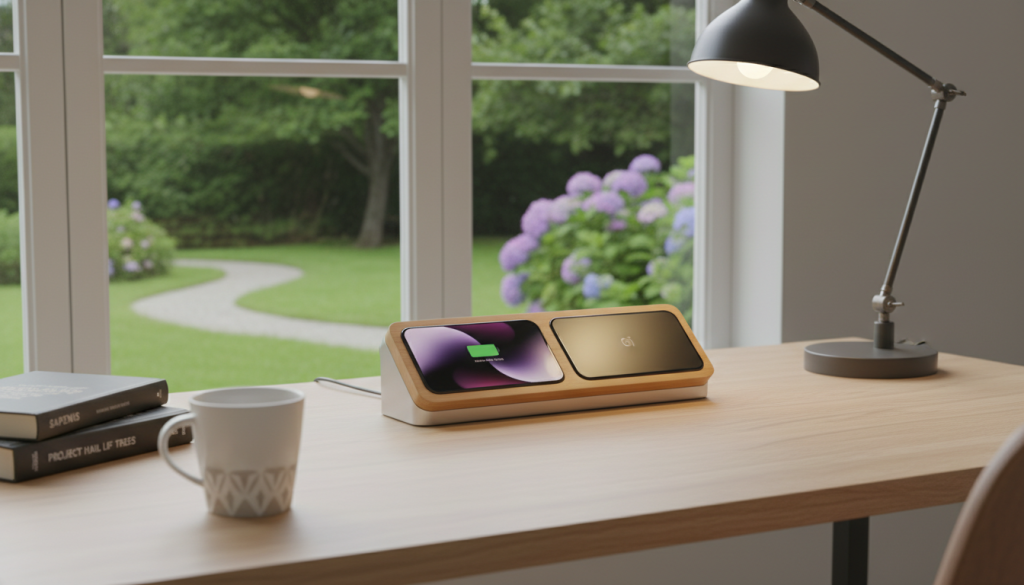
- Clear wattage markings showing 40W or higher
- USB-IF or MFi certification for safety and compatibility
- Built-in protection features against overcurrent and overheating
- Appropriate port configurations for your needs
Can you use high-wattage chargers like 65W or 100W laptop adapters for the iPhone 17? Yes, you can. The phone only takes what it needs, making these chargers safe and versatile.
Multi-port chargers are great for homes with many devices. They let you charge several gadgets at once from one outlet. This reduces cord mess and frees up outlets for other things.
Balancing Convenience and Charging Speed
Wireless charging has gotten better, making it a good choice for daily iPhone 17 use. MagSafe charging goes up to 25W with a 30W or higher adapter. It charges from 0 to 50% in about 35-40 minutes, which is fast enough for daily use.
The magnetic alignment of MagSafe eliminates the problem of misaligned charging pads. The iPhone 17 fits perfectly every time, ensuring consistent charging without fuss. This makes wireless charging great for nightstands and desks.
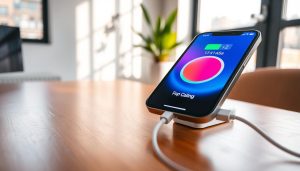
See MagSafe phone stands on Amazon. Certified MagSafe stands are perfect for FaceTime calls or watching content while charging. They let you use your phone naturally without having to adjust cables. This turns charging time into something useful or fun.
Qi2.2 wireless pads are another option with 15W charging speeds and work with more devices. They’re good for homes with different devices. For more on efficient wireless chargers for all your devices, Qi2.2 offers flexibility without losing too much speed. iPhone charging speed test results.
Choosing between wired and wireless charging depends on your charging habits. Wired is faster for emergencies, while wireless is better for everyday charging. Having both options in your home gives you the best of both worlds.
Investing in good chargers at home reduces stress and keeps your devices healthy. Whether you prefer wired speed or wireless ease, the right charger fits your lifestyle.
Best iPhone 17 Charging Cables to Consider
Charging cables are just as important as chargers for the iPhone 17. They connect the charger to the phone, affecting how fast it charges. A good cable is essential for the best performance.
The iPhone 17 comes with a USB-C cable. But not all USB-C cables work the same. To get the most out of fast charging, you need a cable that supports USB-C Power Delivery.
Choosing the right cable means understanding what it can do. Quality cables have better materials and meet strict standards. These factors affect how well the cable performs and how long it lasts.
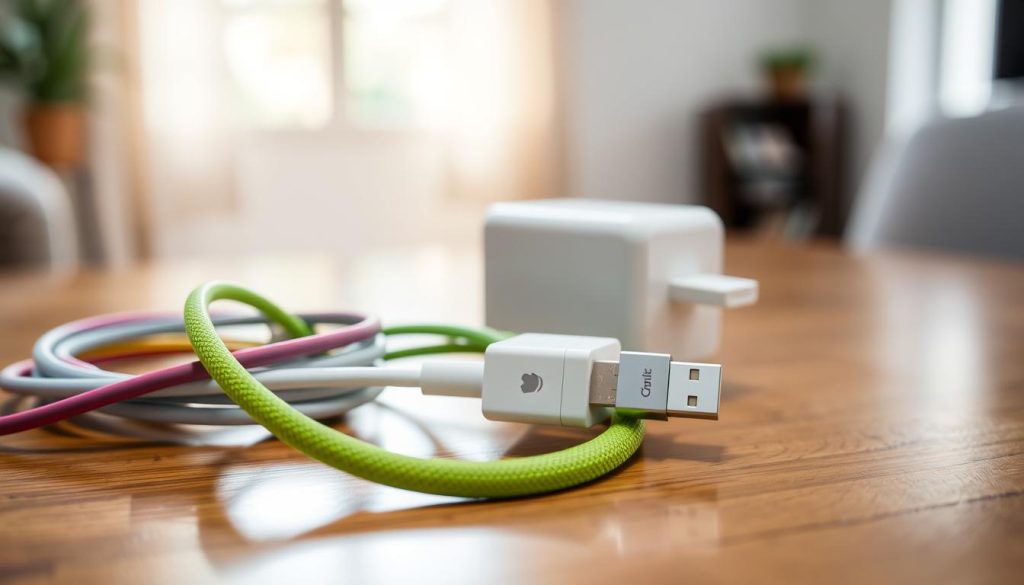
Understanding Certification Standards
Apple’s Made for iPhone program ensures cables meet high standards. This means they’re safe and work well with iPhones. Even though the iPhone 17 uses USB-C, Apple’s certification is key.
USB-IF certification adds another level of quality. It checks if cables meet USB standards for safety and charging speed. Cables with this certification can handle 40W charging without problems.
Look for certification logos on cables and packaging. Very cheap cables often lack certification and can be unsafe.
Higher prices usually mean better quality. At the same time, it is not always true that cheap cables are inferior. Spending a bit more on a certified cable is worth it to protect your iPhone.
Choosing the Right Length and Construction
The length of the cable matters. A 1-meter cable is great for small spaces. It’s perfect for travel or a tidy desk.
A 2-meter cable is better for longer distances. It’s great for charging while sitting or lying down. It keeps you from being too close to the outlet.
Braided cables are more durable than regular ones. They resist tangling and breaking. The braided exterior also protects the inside wiring.
Key features of durable cables include:
- Reinforced connector joints that prevent fraying at bend points
- Flexible yet sturdy construction that withstands repeated coiling
- Tangle-resistant design that simplifies storage and handling
- Strain relief points that distribute tension away from weak areas
Good cables last a long time and work well even after many charges. They keep charging fast without problems. Buying durable cables saves money and hassle in the long run.
Choose cables based on where you use them. In busy areas, durable braided cables are best. For those who are rough on their cables, durability is more important than looks.
Setting Up a Charging Station at Home
Every iPhone 17 owner needs a spot for all charging accessories. A well-organized charging area saves time and reduces stress. It makes daily life easier.
The right charging station changes how we use our devices. It keeps everything charged and organized. Planning the setup is key.
Creating an Efficient Power Zone
Choosing the right spot for your organized charging station is important. It should be in a high-use area. This makes charging easy and convenient.
Bedroom nightstands are great for charging overnight. Kitchen counters are perfect for morning top-ups. Home office desks keep devices charged during work.
An iPhone 17 charger stand at the right angle makes checking notifications easy. It lets you FaceTime or watch videos without unplugging. The stand should be adjustable for different viewing angles.
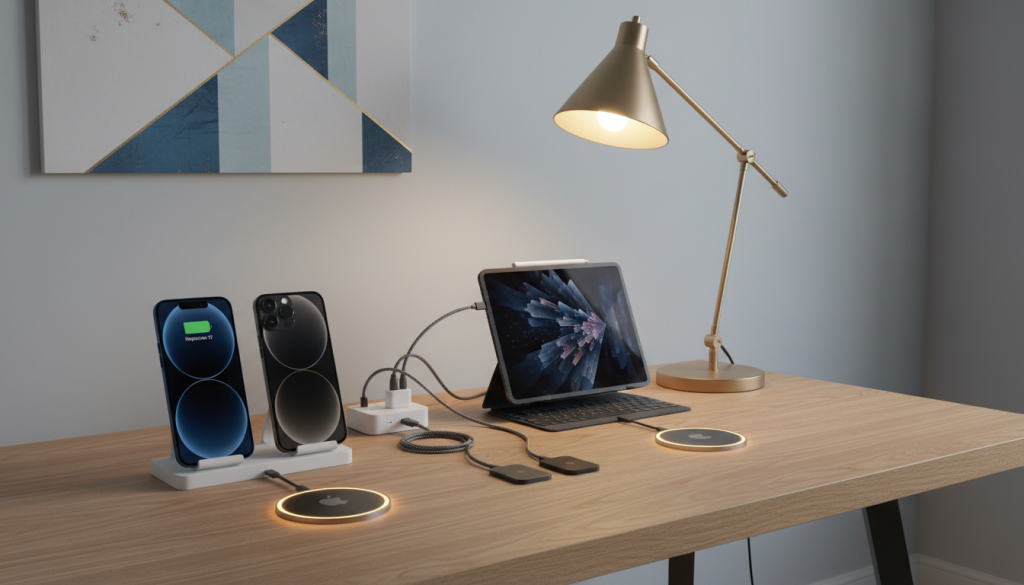
Cable management solutions prevent tangles. Simple accessories can tidy up your charging area. Proper cable routing also extends accessory lifespan by reducing wear from repeated coiling.
Consider these essential organization elements:
- Cable clips that secure charging cords along desk edges or nightstand backs
- Charging docks with built-in cable routing channels
- Drawer organizers that keep extra cables sorted by type and length
- Wall-mounted cable sleeves for vertical wire management
Ventilation is important for any charging area. Good airflow prevents heat buildup that can harm batteries. Keep charging zones away from direct sunlight and heating vents.
Water sources are a risk to charging equipment. Place stations away from sinks, bathrooms, or areas where liquids spill. This simple precaution protects both devices and users.
Families often benefit from shared charging stations in common areas. A centralized hub in the kitchen or living room keeps everyone’s devices powered. Individual setups in personal bedrooms provide private charging space for overnight sessions.
Power Delivery Through Multi-Port Solutions
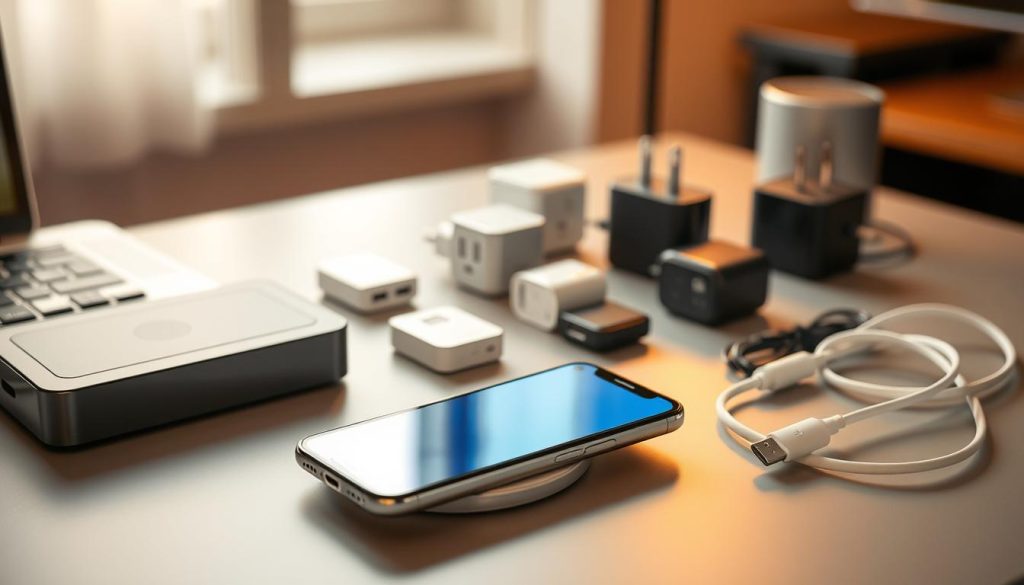
A multi-device charging hub consolidates power delivery for all household electronics from a single outlet. These space-saving solutions eliminate adapter competition and reduce visible clutter. They form the foundation of a top-rated charging setup for iPhone 17 users with multiple devices.
Quality multi-port USB-C chargers deliver 40W+ for the iPhone 17 while powering AirPods, Apple Watch, or tablets. Intelligent power distribution automatically allocates appropriate wattage to each connected device. The iPhone 17 receives its full charging capability even when other gadgets share the same hub.
These charging solutions come in various configurations to match different needs:
- Compact wall-mounted adapters with multiple USB-C and USB-A ports
- Desktop charging stations featuring wireless charging surfaces plus wired ports
- Drawer-integrated systems that keep devices powered while hidden from view
- Tower-style chargers with vertical port arrangement for easy access
Wireless charging pads with Qi2.2 compatibility can accommodate multiple devices through magnetic alignment. An iPhone 17 charger stand with MagSafe technology ensures perfect contact without fumbling in the dark. Magnetic alignment removes the guesswork from properly placing a charging pad.
Users who maintain their devices through wireless updates appreciate charging stands that keep their screens visible during downloads. The combination of convenience and functionality makes these solutions ideal for modern households.
Investing in a well-designed multi-port charging solution delivers immediate benefits. It eliminates the need for multiple wall adapters and crowded power strips. A single quality hub creates a cleaner, more functional environment while ensuring all devices stay reliably charged.
The best charging stations combine multiple technologies into one cohesive system. They offer both wired fast charging and wireless convenience. This versatility accommodates different devices and charging preferences within the same household.
Charging on the Go: Car Accessories
For iPhone 17 users, car charging accessories are key. They keep your device charged during long drives. This means you can keep navigating, talking, and listening without worry.
Modern cars have special charging needs. Standard adapters often can’t handle these needs. Older chargers can’t give enough power to charge phones fast while they’re in use.
Power Delivery and Device Compatibility
Not all car chargers are the same. Knowing the power rating is important. Low-wattage chargers can’t keep up with the iPhone 17’s needs, leading to fast battery drain.
Good car chargers offer 40W through USB-C ports. This means your iPhone 17 can charge quickly during drives. Dual-port chargers let you charge two devices at once, great for families or drivers.
Top car chargers have a total output of 65W. They can charge phones and laptops simultaneously. This is perfect for professionals or digital nomads who need to stay connected.
Safe and reliable chargers are a must. They protect against voltage spikes and electrical noise. They’re also compact and have LED indicators for charging status.
Integrated Mounting Solutions for Safer Driving
Magnetic car mounts with MagSafe charging are a game-changer. They keep your phone in place and charge it wirelessly. This makes driving safer and keeps your phone charged.
These mounts are strong and hold your phone securely. They work with cases and adjust to fit your view. This makes sure you can see your screen without straining your neck.
There are different mounts for different needs. Some fit on the dashboard, others on air vents or windshields. This ensures you can find the perfect spot for your phone.
It’s important to choose mounts that fit your case. Most work with MagSafe cases, but may not with thicker ones. Premium mounts also have cable management to keep things tidy.
Having a good mount and charger combo means you won’t be distracted by low-battery warnings. It keeps your phone ready for emergencies. This is the future of phone and car integration, combining convenience and safety.
Travel-Friendly Charging Solutions
Traveling becomes easier with the right iPhone charging solution. Whether it’s a weekend getaway or an international trip, having the right accessories is key. They keep you connected without the hassle of finding outlets.
Today, charging devices are simpler than before. The iPhone 17’s USB-C compatibility means one cable can charge multiple devices. This makes packing easier.
Travelers need charging solutions that are both portable and powerful. These should fit in luggage and provide enough power for long trips. The best options balance size, weight, and speed without sacrificing performance.
Power Banks That Keep Devices Charged Anywhere
Quality travel power banks are essential for charging on the go. A 10,000mAh power bank can charge an iPhone 17 twice. It’s small enough to carry in a pocket or bag.
For longer trips, 20,000mAh power banks offer four or more charges. They’re a bit larger, but keep devices powered for days. Look for power banks with 30W or higher output for fast charging.
Power banks with built-in cables save space and reduce packing stress. These all-in-one solutions make travel easier by eliminating the need for forgotten charging cords.
Magnetic power banks are great for iPhone 17 users. They snap onto the phone for 15W wireless charging while allowing normal use. This is perfect for airport layovers or conferences.
Airline rules limit the size of power banks in carry-on luggage. Most allow up to 100 Wh, which is about 27,000 mAh. Always check that your power bank meets these limits before packing.
When choosing travel power banks, consider:
- Capacity based on trip length and device use
- USB-C Power Delivery for quick recharging
- Multiple output ports for charging several devices at once
- Slim, lightweight designs that save space
- LED indicators for battery level
Modern hotels and airports often have USB-C charging ports. Power banks with USB-C input recharge faster than older models. This ensures quick use between charges.
Adapters for Charging Across International Borders
International charging adapters are key for different outlet types worldwide. The iPhone 17’s USB-C charger works with global voltages, but countries have different plug types. Travelers need adapters that fit these variations.
Universal travel adapters have multiple plug types, including US, UK, EU, and Australian. The best models have built-in USB-C ports for direct charging. This means you don’t need Apple’s adapter separately.
All-in-one travel chargers offer great convenience. They combine international plug compatibility with multiple USB ports. This allows charging of iPhone, AirPods, Apple Watch, and more from one adapter. For a complete solution, check out 3-in-1 travel chargers.
Packing smartly saves space and weight. Instead of many chargers, choose a high-wattage multi-port charger with a universal adapter. This reduces items to pack and lose.
Key features for international travel adapters include:
- Compatibility with major plug types across continents
- Multiple USB ports (both USB-C and USB-A) for device variety
- Compact, foldable designs that minimize luggage space
- Surge protection and safety features for varying electrical standards
- High wattage output (30W+) for fast charging capabilities
Compact 20W USB-C chargers charge fast and take up little space. They’re perfect for frequent travelers who pack light.
Foldable-prong designs save even more space. The prongs fold flat, preventing them from catching on clothes or other items. This design prevents damage during travel.
Make sure your adapter supports your devices’ wattage needs. A 65W or higher adapter can charge laptops and phones simultaneously. This is very useful on international trips with many devices.
Safety is important when dealing with different electrical standards worldwide. Quality adapters have surge protection, short-circuit prevention, and temperature control. These features protect your devices from voltage changes common in some countries.
Protecting Your iPhone While Charging
While advanced iPhone charging gear delivers power efficiently, protecting your device during charging matters just as much. Many users overlook how their protective cases and charging environment affect both safety and battery longevity. Following essential charging safety tips ensures the iPhone 17 stays healthy through thousands of charging cycles.
The interaction between cases and chargers varies significantly depending on the charging method used. Understanding these differences helps users make informed decisions about their accessories.
Case Compatibility: Ensuring a Secure Fit
Wired USB-C charging works flawlessly with virtually any protective case. The physical connection doesn’t require special case features or compatibility considerations. But wireless charging presents different challenges that users should understand.
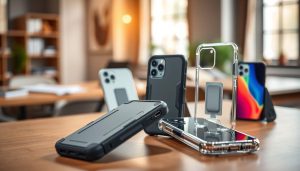
iPhone case compatibility becomes critical when using wireless or MagSafe charging solutions. Cases thicker than 3mm may reduce charging efficiency or prevent charging altogether. Ultra-thin cases typically don’t interfere with wireless charging performance, allowing full charging speeds.
MagSafe technology requires proper magnetic alignment, which can be disrupted in some cases. Cases designed without MagSafe compatibility lack the internal magnetic ring needed for perfect alignment. This absence prevents the strong attachment that MagSafe chargers and accessories depend on for optimal performance.
When selecting advanced iPhone charging gear that works with protective cases, users should consider several factors:
- Look for “MagSafe compatible” labeling on third-party cases to ensure proper functionality
- Understand that official Apple cases guarantee compatibility while third-party options vary in quality
- Avoid metal cases or those with metal plates for car mounts, as they completely block wireless charging
- Choose cases from manufacturers who design products with heat dissipation features built in
Quality case manufacturers consider charging needs during product development. They incorporate appropriate thickness profiles and materials that allow efficient power transfer. These design choices make a significant difference in daily charging experiences.
Overheating Prevention Tips: What to Avoid
The iPhone 17 includes sophisticated temperature monitoring systems that automatically adjust charging speeds. Despite these built-in protections, users can optimize charging conditions to maximize battery health. Apple’s battery management system works best when users avoid creating excessive heat scenarios.
Heat remains the primary enemy of battery longevity. Elevated temperatures during charging accelerate chemical degradation, reducing overall battery capacity over time. Proper thermal management during charging extends the useful life of any smartphone battery.
Several common scenarios create unnecessary heat buildup that users should avoid:
- Charging while the phone sits wedged between couch cushions or buried under blankets that trap heat
- Stacking multiple charging devices in enclosed drawers without adequate ventilation
- Leaving the phone in direct sunlight while wireless charging on a desk or windowsill
- Using the phone for processor-intensive tasks like gaming or video recording while fast charging
Practical thermal management during charging strategies helps maintain optimal temperatures. Users should remove the thick cases during extended charging sessions if their phones feel warm to the touch. Charging in air-conditioned rooms during hot weather prevents ambient temperature from affecting charging efficiency.
Taking breaks from processor-intensive activities while fast charging significantly reduces heat generation. When the iPhone automatically slows charging due to temperature concerns, users should recognize this as a protective feature. This automatic adjustment preserves long-term battery health even during 40W fast charging sessions.
Certified chargers and cables from reputable manufacturers include multiple built-in safety features. These protections guard against overcurrents, prevent short circuits, and trigger an automatic shutdown if temperatures exceed safe thresholds. Investing in proper charging accessories is an important safety decision, not just a performance consideration.
Well-ventilated charging areas away from soft materials ensure consistent airflow around the device. This simple environmental factor makes a measurable difference in charging temperatures. Users who consistently apply these charging safety tips enjoy better battery performance and longer device lifespans.
Charging Best Practices for Longevity
How you charge your iPhone 17 today affects its battery tomorrow. Smart charging habits keep the battery healthy and extend its life. Knowing the best ways to charge your iPhone helps you get the most from it.
Lithium-ion batteries last longer when charged midway through the charge cycle. Constantly going from empty to full stresses the battery. Following good battery care tips can make your battery last for years, not just months.
Apple’s technology helps protect your battery. The iPhone 17 stops charging at 100% to avoid damage. You can charge overnight without worry when using top-notch charging products.
Smart Strategies for Healthier Charging
Try to keep your battery between 20% and 80% charged. This range reduces wear and tear on the battery. But, it’s okay to charge to 100% on busy days.
iOS 18 has a feature that learns your charging habits. It delays the last 20% of charging until you need it. This helps keep your battery healthy over time.
There are myths about charging that need clearing up. Here are the facts:
- Overnight charging is safe when optimized battery charging is enabled
- Complete battery drains are harmful for modern lithium-ion chemistry
- Wireless charging doesn’t inherently degrade batteries faster with quality chargers
- Slower charging generates less heat and supports better long-term health
Heat is the biggest enemy of battery life. Fast charging makes more heat than slow charging. Trickle charging overnight keeps your battery cooler and healthier.
Avoid charging in extreme temperatures. Hot cars, sunlight, and enclosed spaces trap heat. Charge in cool, well-ventilated areas for best results.
Check your battery health in iPhone settings. It shows how much capacity you’ve lost. Monitoring helps you adjust your charging habits for better battery life.
Proper Storage for Extended Downtime
Storing your iPhone for long periods requires special care. Follow these guidelines to keep your battery healthy during storage.
The best storage charge level is about 50% capacity. This avoids the risks of deep discharge and overcharging. Batteries stored at too low a temperature may not recharge, and those at 100% capacity degrade faster.
Here’s how to store your iPhone 17:
- Charge or discharge to about 50%
- Turn off the device completely, not just sleep mode
- Store in a cool place, 60-70°F (15-20°C)
- Avoid direct sunlight and heat sources
- Check every few months and recharge to 50% if needed
Temperature control is key during storage. Cool, dry places are better than hot or humid ones. Basements are better than attics for storing devices.
Even when off, iPhones use a little power. Check battery levels every few months if stored for over six months. Recharge to 50% every few months to avoid damage.
Proper storage keeps your battery healthy for years. Devices stored right maintain their charge and are ready when needed. Neglected batteries in storage often fail to hold a charge, even if the device works.
Best iPhone 17 Charging Setup Conclusion
Find Your Ideal Charging Setup
Creating the perfect charging setup for your iPhone 17 is simple. The move to USB-C makes charging across devices easy. This means you can have reliable power sources anywhere.
Key Recommendations Worth Remembering
For the best iPhone 17 charging setup, focus on a few key items. At home, use a 40W USB-C wall charger or a multi-port station with a MagSafe stand. This combo offers speed and convenience.
Choose durable braided cables for everyday use. For car charging, go for dual-port adapters with magnetic mounts. These keep your devices safe and charged during drives.
Traveling? Use 10,000-20,000mAh power banks and compact USB-C chargers with universal adapters. These are perfect for on-the-go charging.
Always pick certified accessories for your devices. They protect your battery and ensure top performance. Following proper charging habits can also help your battery last longer, possibly avoiding the need for battery replacement.
Building Your Personal Solution
Everyone’s charging needs are different. Some prefer wireless charging at night, while others need fast charging for quick top-ups. Start by figuring out your most important charging need.
Then, add more accessories as needed. New products come out with better features and prices. The recommendations for iPhone 17 charging provide a good starting point. But the best setup is one that fits your personal needs. The right mix of certified, quality accessories ensures your devices are always ready to go, whether at home, in the car, or while traveling.