iPhone 17 Battery Capacity Explained (All Models Compared)
Discover the iPhone 17 battery capacity across all models. Learn how to optimize and extend battery life for your device’s top performance.
iPhone 17
Choosing a new iPhone 17 can be overwhelming. Apple often talks about hours of use instead of battery size in mAh. This guide simplifies the battery capacity of the iPhone 17, making it easier to compare and choose the best one for everyday use in the United States.
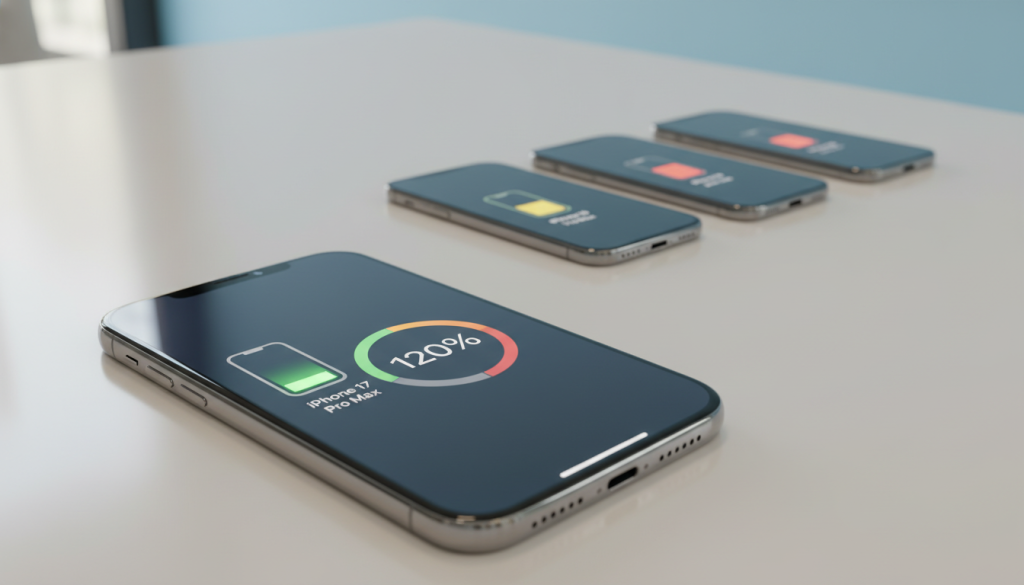
Apple’s ratings are a good starting point for understanding the iPhone 17’s battery specs. The iPhone 17 can play video for up to 30 hours and stream video for 27 hours. The iPhone 17 Pro can play video for up to 33 hours and stream for 30 hours. The iPhone 17 Pro Max can play video for up to 39 hours and stream for 35 hours. The iPhone 17 Air can play video for up to 27 hours and stream for 22 hours.
Those “up to” numbers give us a rough idea, but they don’t promise the same battery life for everyone. Battery life can change based on screen brightness, temperature, 5G signal, and background apps. That’s why comparing different models side by side is important, even before we see third-party tests.
iPhone 17 Key Takeaways
- Apple reports hours of use more often than mAh, which can obscure differences in iPhone 17 battery capacity.
- iPhone 17 ratings: up to 30 hours of video playback and 27 hours of streaming video.
- iPhone 17 Pro ratings: up to 33 hours of video playback and 30 hours of streaming video.
- iPhone 17 Pro Max ratings: up to 39 hours of video playback and 35 hours of streaming video.
- iPhone 17 Air ratings: up to 27 hours of video playback and 22 hours of streaming video.
- iPhone 17 battery specs matter most when tested under real-world conditions such as temperature, network load, and app usage.
Overview of iPhone 17 Battery Innovations
Apple’s iPhone 17 lineup focuses on lasting longer, not just being fast. The talk is about battery tech and how it means less need to charge. For a quick look, start with the iPhone 17 specs page.
Key Improvements Over Previous Models
Apple shows big gains in battery life, with most models lasting up to six hours longer than the iPhone 16. The standard iPhone 17 is a big winner, thanks to efficiency boosts that add up over time.
Apple also highlights playback comparisons: iPhone 17 vs iPhone 16 shows up to 30 hours of video playback versus 22. This jump is key for long commutes, flights, and busy days.
- Efficiency drivers often cited in reports include the A19 chip and smarter power scaling.
- Display improvements, including 120Hz LTPO ProMotion that can drop as low as 1Hz, can reduce draw when the screen is static.
- Apple’s testing methodology notes that real results vary by settings, network conditions, and usage patterns.
Importance of Battery Life in Modern Smartphones
Battery life is a top factor in buying a new phone, along with price and storage. It’s because frequent charging can disrupt routines. It can mess up travel days, outdoor time, and events where outlets are scarce.
iPhone 17 features like 120Hz smooth scrolling and fast cameras can increase power use. This makes the battery tech a daily convenience, ensuring performance from morning to night.
Battery life is rarely noticed when it is strong, but it is quickly felt when it falls short during a busy day.
Battery Capacity of iPhone 17 Models
Talking about batteries can be tricky. This guide uses two ways to measure: mAh for size and Apple’s hour ratings for everyday use. These help us compare the iPhone 17 battery across different models and use cases.
Apple doesn’t show mAh on its product pages. But hours for video playback and streaming give us a better idea of battery life. This makes it easier to understand how the iPhone 17 battery works in real life.
iPhone 17 Standard Model Battery Specification
The standard iPhone 17 has a 3,692mAh battery, the same for both SIM and eSIM-only versions. Apple says it can play video for up to 30 hours and stream for 27 hours. It also estimates around 13 hours for general tasks, depending on what you’re doing and the screen brightness.
Compared to the iPhone 16, the iPhone 17 has a slightly bigger battery. This is good for watching videos without running out of power too quickly. The best way to understand this is by looking at both the battery size and the hour ratings.
iPhone 17 Pro Model Battery Specification
The iPhone 17 Pro has different battery sizes: 4,252mAh for SIM and 3,988mAh for eSIM-only. Apple says it can play video for up to 33 hours and stream for 30 hours. Other estimates suggest it can last around 15 hours for everyday use.
When we talk about the iPhone 17 battery, we look at both size and how long it lasts. A bigger battery is helpful, but other factors like the screen and cameras also play a role. These specs help us know what to expect before we start using our phones.
iPhone 17 Pro Max Battery Specification
The iPhone 17 Pro Max has the biggest battery: 5,088mAh for SIM and 4,823mAh for eSIM-only. Apple says it can play video for up to 39 hours and stream for 35 hours. It estimates around 17 hours for general use, which is a lot for daily tasks.
Compared to the iPhone 16 Pro Max, the iPhone 17 Pro Max has a bigger battery. But it’s not just about size. Other factors, such as modem demand and high refresh rates, also affect battery life. These specs help us compare the different models when we’re shopping.
Real-World Battery Performance Tests
Real-life tests show how Apple’s “up to” ratings work in everyday life. For the iPhone 17, it’s key to test messaging, maps, photos, and short videos. Display brightness, background refresh, and weather can quickly change results.
Logging the same routine for a few days helps track iPhone 17 battery life. Apple’s playback metrics are useful, but real days involve pauses and multitasking. These factors often cause battery drain.
Screen-On Time Across Different Models
Screen-on time is a good indicator because it reflects real use. Estimates are: iPhone 17 at ~13 hours, iPhone 17 Air at ~12 hours, iPhone 17 Pro at ~15 hours, and iPhone 17 Pro Max at ~17 hours. These are starting points for comparing models.
Apple’s video benchmarks help keep comparisons fair. They use the same method, so differences highlight hardware and settings, not just one day.
- iPhone 17: 30 hours offline video / 27 hours streaming video
- iPhone 17 Pro: 33 hours offline video / 30 hours streaming video
- iPhone 17 Pro Max: 39 hours offline video / 35 hours streaming video
- iPhone 17 Air: 27 hours offline video / 22 hours streaming video
To keep tests consistent, set brightness and use the same apps daily. Even small changes, like more social scrolling or camera use, can increase battery drain.
5G Usage Impact on Battery Life
5G can increase data use, which drains the battery faster. Streaming, hotspot use, and large downloads are big culprits. Cloud photo sync and app updates also add to the load.
Comparing two test days, one with heavy mobile data and one with Wi-Fi, can show the impact of 5G. Keep brightness and screen time the same to see how battery percentage drops. For example, real battery life numbers show how to track screen time and battery percentage.
Tip for clean notes: record signal strength, 5G time, and streaming status. This context makes comparisons useful across different places, carriers, and routines.
Charging Options for iPhone 17
Charging the iPhone 17 is all about real-life use. The right charger, cable, and settings make a big difference. It’s important to match the charger to how you use your phone.
Wired Charging Capabilities
Apple’s fast-charge tips are key. With a strong USB-C adapter, the iPhone can charge to about 50% in around 30 minutes. But heat, tasks, and screen use can affect this.
Apple says fast charging needs a 20W or higher adapter. You can check the wattage on the brick. More details are in Apple’s fast charging support note.
There’s a difference in wired speeds between models. The iPhone 17 and 17 Air charge more slowly, while the Pro and Pro Max charge faster. This affects how you plan quick charges.
- Faster wired charging is great for busy days.
- Heat and heavy use can slow charging, even with a high-watt adapter.
Wireless Charging Features
Wireless charging is easy and clean. MagSafe is a big part of this. Updates to Qi also help older devices.
For better wireless charging, keep your phone cool. Cases, alignment, and room temperature matter. A regular charging routine helps keep things predictable.
Battery Health and Longevity Insights
Battery health is more than just a number in Settings. For many, keeping an iPhone 17 battery healthy depends on daily habits. It also depends on heat exposure and using the phone at full brightness on 5G.
Lab-style testing can give us a better idea of what to expect. In a nonstop 5G web test at 150 nits, Tom’s Guide battery results showed the iPhone 17 lasted 12:47. The iPhone 17 Pro lasted 15:32, and the Pro Max lasted 17:54. The iPhone Air lasted 12:02.
Tips for Maximizing Battery Life
For better battery life, iOS 26 uses Adaptive Power Mode. It slightly dims the display and trims background work. It also turns on Low Power Mode below 20%. Low Power Mode pauses tasks like downloads and iCloud syncing, helping to save battery during long days.
- Keep screen brightness in check; lowering it a bit can reduce battery drain fast.
- Turn off Location Services when not needed, and limit Background App Refresh for unnecessary apps.
- Aim for charging between 20% and 80% when possible. Avoid charging while gaming or doing heavy video work to support battery longevity.
When a battery gets critically low, it can cause sudden app exits. Troubleshooting guidance says a low battery can lead to crashes. It also warns that constantly force-quitting apps can use more power over time, as outlined in this iPhone app troubleshooting guide.
Understanding Battery Aging
All lithium-ion batteries wear down with use. This means total capacity and runtime shrink over time. This is normal and affects battery longevity, even if usage stays the same.
Heat, high brightness, and long periods of heavy processing can speed up wear. Careful optimization focuses on keeping the phone cool and avoiding extreme charge cycles. These small choices add up over time. iPhone Settings Guide.
Comparison of iPhone 17 with Other Brands
In the United States, people often compare battery claims. They look at both mAh and tested hours. This helps set expectations for how the iPhone 17 battery performs in daily use.
Numbers can change based on screen size, modem load, and brightness. Yet, comparing side-by-side can make it easier to see how the iPhone 17 stacks up against other 2025 flagships.
iPhone vs. Samsung Battery Performance
The Samsung Galaxy S25 has a 4,000mAh battery and a 6.2-inch OLED display. It is reported to run for about 13 hours in testing. This puts it roughly on par with the iPhone 17.
Endurance is not just about battery size. How iOS manages background activity and app behavior also affects the iPhone 17’s battery life over a full day.
iPhone vs. Google Pixel Battery Capacity
The Google Pixel 10 is also reported to last about 13 hours. It has a slight edge in battery life. The iPhone 17 charges faster, which can make a big difference in daily use.
- Asus ROG Phone 9 Pro is often quoted as lasting 20+ hours in tests, making it a good fit for buyers who prioritize raw endurance.
- OnePlus 13 is frequently noted for nearing the 20-hour mark, making it another strong option for long stretches away from a charger.
These reference points help buyers consider ecosystem perks, camera needs, and charging habits. They show that the iPhone 17’s battery performance is just one part of the story.
User Experiences and Feedback
In the United States, early reviews are mostly positive. People say the new iPhone 17’s battery life is good for daily tasks. It’s great for work, commuting, and streaming.
Many also enjoy smoother scrolling and gaming. The 120Hz feature makes everything feel more fluid. This is a big plus for those who use their phone a lot during the day.
Customer Reviews on Battery Life
Many call the Pro Max easy to forget about charging. It stays ahead in battery life even when screen time increases.
But, people’s expectations can vary. Apple’s battery ratings are up to numbers. Real-world use, including 5G, Bluetooth, and video calls, can affect battery life.
“If it’s new or just updated, it may run hot and drop faster for a few days, then settle down.”
Common Complaints About Battery Issues
The biggest issue is battery drain right after setup or an iOS update. Some users talk about a “indexing” phase that lasts days. This phase is busier than usual.
On the Apple Support Community, people share tips for avoiding battery drain. They mention high brightness, direct sun, long scrolling, always-on location, and busy apps.
- Higher brightness and direct sun that push the display and thermal controls
- Extended social feeds and short-video loops that keep the screen active
- Background refresh, photo processing, and AI features are working after updates
- Navigation and frequent location checks can trigger iPhone 17 battery drain
When these factors add up, battery performance can seem uneven. Some users track their battery life closely to manage their phone’s use.
Analysis of Apple’s Battery Management System
Apple sees battery life as a whole system, not just a part. On iPhone 17, this system combines chip efficiency, sensors, and iOS behavior. It makes daily power decisions.
How iOS Optimizes Battery Usage
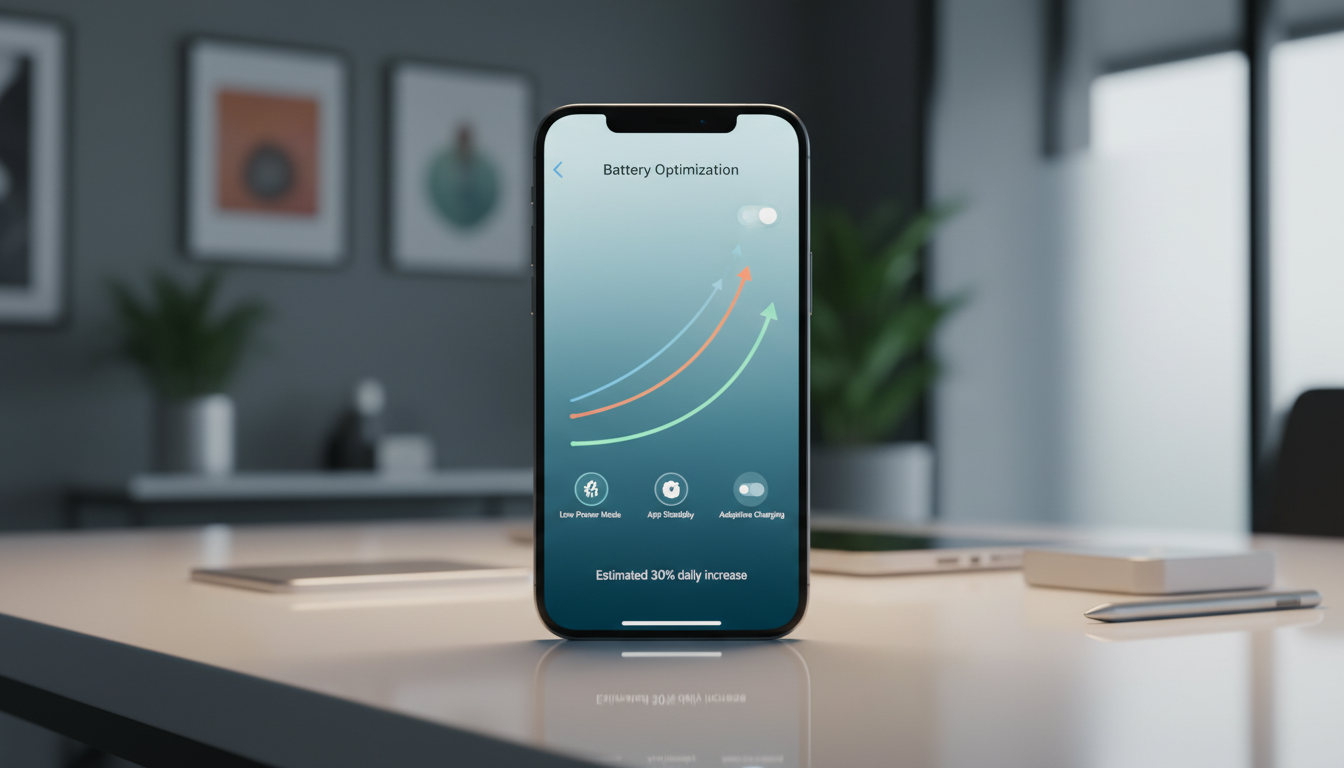
iOS 26 introduces Adaptive Power Mode. It adjusts based on how you use your phone. It can lower screen brightness, reduce background activity, and activate Low Power Mode when the battery falls below 20%.
It targets common battery drains like bright screens, busy apps, and constant network checks. By reducing these, the phone uses less power. This can help the battery last longer over a typical day.
- Brightness control reduces display draw during long scrolling sessions.
- Background limits reduce silent app wake-ups and refresh loops.
- Automatic Low Power Mode prioritizes essentials when charge is tight.
Role of Software Updates on Battery Performance
Software updates can also impact battery life, even with the same hardware. Apple’s iOS 26 beta, for example, changed iPhone 16 wireless charging to 25W. This shows updates can adjust charging behavior, heat, and how quickly the phone is ready to use again.
For iPhone 17, better performance is expected from the A19 chip and iOS power modes. Together, they help improve battery technology. Updates will also continue to enhance battery optimization and longevity during daily use.
Environmental Considerations
Battery choices impact more than just how long we use our devices. They also affect mining, shipping, and waste. Thanks to better battery tech, like in the iPhone 17, we can use our phones longer and throw away less.
Starting simple habits can make a big difference. Keeping your battery between 20–80% and avoiding heat helps it last longer. This way, you can enjoy your iPhone 17 without worrying about its battery.
Sustainability Initiatives for iPhone Batteries
Durability is a key part of sustainability. When batteries last longer, we need fewer replacements. This means less waste and supports cleaner ownership.
The refurbished market also helps. Refurbished iPhones are sold only if they meet high standards, like at least 80% battery life. This rewards careful use and keeps phones in use longer, benefiting everyone.
Recycling Options for Old iPhone Batteries
Planning for the end of a battery’s life is important. When a battery can’t keep up, replacing it under warranty is a good option. This keeps your phone running smoothly and supports the iPhone 17’s battery tech.
- Recycle or trade in older iPhones when upgrading to get better battery life, instead of storing them.
- Use authorized recycling channels that handle lithium-ion cells safely.
- Consider refurbishment when the device is functional, and the battery health is good.
Proper handling of old batteries ensures they’re recycled safely. This process helps recover valuable materials and reduces landfill waste. It’s a step towards making the iPhone 17’s battery longevity a lasting goal, not just a feature.
Future Battery Technology in Smartphones
Battery talk is moving from just size to smarter designs. The idea of an “all-day” battery is now a big deal. It’s pushing the tech in the iPhone 17 to be better, even as phones get thinner and screens brighter.
New cell chemistry is attracting attention for its ability to pack more energy into less space. Even slimmer devices can maintain battery life if they use power wisely. This is why silicon-carbon cells are important, as seen in the silicon-carbon battery talks about the iPhone 17 Air.
Potential Advancements for iPhone 18
Engineers aim to extend battery life by improving efficiency. The iPhone 17 might use a more efficient chip and a power-saving display. This could be the plan for the iPhone 18, too.
This approach also keeps design options open. Instead of adding bulk, they can work on software and display settings. This way, they can make phones last longer without making them bigger.
Industry Trends Impacting Battery Development
Other phones are setting high standards for battery life. Phones like the Asus ROG Phone 9 Pro and OnePlus 13 can last up to 20 hours. This makes the iPhone 17’s battery life a key factor for buyers.
Charging habits are also changing. With faster wireless charging, topping up during the day is becoming common. This affects how the iPhone 17’s battery is designed, including heat control and long-term wear.
- Higher efficiency parts to reduce idle drain
- Denser cells to support thinner designs
- Faster wireless charging shaped by Qi2.2 compatibility
Frequently Asked Questions (FAQs) about iPhone 17 Battery
Battery questions often stem from habits, not myths. For many, optimizing the iPhone 17 battery is key. It makes the difference between feeling stressed at 4 p.m. and having enough power to last the day.
What is the Best Way to Charge My iPhone 17?
For long battery life, steady routines work best. Many keep their battery in the middle range. This avoids extreme highs and lows. iPhone Storage.
- Aim for 20% to 80% most days, if possible.
- Try to avoid letting it drop to 0% and then charge it to 100%.
- Don’t charge during intense activities like gaming, as it can get too hot.
Charging speed can vary. Fast charging can get you to about 50% in 30 minutes. The iPhone 17 and 17 Air support up to 15W wired, while Pro models can go up to 35W wired and 25W wireless.
How Does Battery Capacity Affect Daily Use?
Battery capacity is measured in mAh, but it doesn’t directly translate to screen time. The iPhone 17 has about 3,692mAh, and the Pro Max has about 5,088mAh. This translates to around 13 hours of general use, down from 17 hours.
But actual battery life can vary. It depends on brightness, 5G signal, background refresh, navigation, and temperature. This is why two people with the same phone can have different experiences, even with the same settings.
In reality, battery longevity depends on daily use, not just specs. Apple’s “up to” ratings allow for big variations. This is due to factors like location services, camera use, and app activity. iPhone Camera Tips.
iPhone 17 Conclusion and Final Thoughts
When people talk about the iPhone 17 battery life, they want to know how long it lasts. Apple gives a range for each model. For example, the iPhone 17 can play video for up to 30 hours.
For a better understanding, many readers check real-world iPhone 17 endurance details.
Summary of Key Takeaways on iPhone 17 Batteries
The battery size also plays a role. The iPhone 17 has a 3,692mAh battery. The Air has about 3,149mAh, and the Pro Max has 5,088mAh. This means the Pro Max lasts the longest, the Air is slim, and the Pro is a good middle choice.
Encouragement to Make Informed Choices
How you use your phone affects its battery life. Heavy 5G use and long streaming can drain the battery quickly. But using Adaptive Power Mode and reducing background activity can help.
Choosing how to charge your phone also matters. Wired charging is faster, but wireless charging is convenient. For a guide on efficient wireless chargers, check wireless charger performance comparisons.