How to Protect Yourself from Identity Theft
Discover essential tips and strategies on how to prevent identity theft, ensuring your personal information stays secure and protected online.
How to Protect Yourself from Identity Theft: In the United States, protecting your identity is essential. More of our lives are online, from banking to shopping. One weak spot can lead to big problems.
When personal info or payment data gets stolen, the trouble can last for months. You might lose money, spend hours fixing your records, and feel stressed. People value security, which is why they choose services that keep their money safe.
Criminals use new tricks, such as phishing and ransomware. They target weak passwords and unpatched software. Even insiders can be used. Guides like SSL and secure payment basics show why encryption and safe checkout habits are key.
This article will teach you how to avoid identity theft. We’ll cover encryption, strong passwords, and monitoring. You’ll learn about the warning signs, how data gets stolen, and how to prevent it. We’ll also talk about what to do if you’re a victim.
We’ll explain how to quickly recover from identity theft. This includes the FTC’s steps. We’ll also discuss how to protect your phone, which is often the key to your online life. For more on iPhone security, check out iPhone security tips.
Key Takeaways
- Identity theft protection is essential in the U.S., as a single breach can trigger a lengthy, costly recovery.
- Modern attacks include phishing, ransomware, and large disruptions—not just simple password guessing.
- Preventing identity theft starts with layered defenses: encryption, authentication, and access control.
- Strong habits matter: use unique passwords, keep software updated, and avoid risky logins on public Wi‑Fi.
- Core identity theft prevention tips include credit freezes, 2FA, and password managers.
- If theft occurs, swift action and the FTC process can limit damage and expedite recovery.
What Identity Theft Is and Why It’s a Growing Risk in the United States
Identity theft happens when someone uses your personal info to steal money or gain access. It can start with a leaked password or a stolen Social Security number. In the U.S., more daily activities use accounts and apps, increasing the risk.
Strong ways to prevent identity theft start with knowing where your data is. Some sites ask for a lot of personal info at checkout. A quick look at a risk scan for Socialsbooster.com shows why it’s important to verify before sharing.
How criminals use stolen personal data to open accounts, take over logins, and commit fraud
Criminals can cause major damage with just a little info. Reusing passwords can open many accounts, leading to more fraud. Weak authentication lets them change contact info and lock you out.
Many ways to prevent identity theft focus on stopping this chain. They include using multi-factor authentication and unique passwords. These habits make stolen login data less valuable.
Why trust and financial stability can be hit hard after a data breach or account takeover
The damage goes beyond one bad purchase. Victims may spend weeks fixing their credit and proving their accounts are theirs. Even when money is recovered, the stress can last.
Scams are fast and feel personal, often targeting older Americans. The threat landscape described in FBI-backed scam warnings underscores why quick, skeptical action is key.
Common types of identity theft affecting consumers include financial, tax, and medical identity theft
- Financial identity theft: opening new credit or loan accounts, taking over existing cards, or making unauthorized purchases.
- Tax identity theft: filing a fake return or using personal data to claim benefits tied to government programs.
- Medical identity theft: using someone’s health identity for services, prescriptions, or insurance claims, which can distort records.
Knowing these types helps pick the right prevention measures. It’s about keeping accounts secure and verifying requests before acting.
Warning Signs That Your Identity Was Stolen
Identity theft often starts with small changes or odd messages. Act fast because attacks can escalate quickly. Many resources focus on catching these signs early and securing accounts.
Unexpected bills, collection calls, or withdrawals
Money moving without your approval is a common sign. This could be an ATM withdrawal, a charge you didn’t make, or a bill for something you didn’t sign up for. Sometimes, you might find out when a collector calls about a debt you don’t owe.
It’s best to treat these alerts as urgent. You can check your bank and card activity closely. Then, dispute any suspicious charges and stop payments.
New credit inquiries, unfamiliar accounts, or sudden score changes
Credit files can show misuse before you notice missing money. Look out for unauthorized hard inquiries, new accounts, or a sudden drop in your credit score. These signs might mean someone applied for credit using your stolen data.
Good tips include checking your credit reports and setting up alerts for new inquiries. If something seems off, consider a fraud alert or a credit freeze to slow down new account openings.
Login alerts, password reset emails, or locked accounts
Signs of account takeover can be loud and confusing. You might get password reset emails you didn’t request, repeated MFA prompts, or “new device” notifications. Sometimes, a criminal locks you out by changing your password and recovery settings.
Phishing scams often cause these takeovers, with messages that claim you have “24 hours” to act. Avoid the link and verify through official channels, such as the Meta Security Team, to identify scam warning signs. Many people use password managers and authenticator apps, and scan their devices with tools like Malwarebytes Premium to reduce the risk of attacks.
Government and tax red flags
Government notices can signal serious misuse. You might get mail about a tax return you didn’t file, a benefits claim you didn’t submit, or a change to an account you never requested. It can also show up as missing refunds, rejected filings, or letters that don’t match your recent activity.
In these cases, focus on documentation and fast verification. Contact the agency using official phone numbers or secure portals. Keep copies of letters and limit sharing sensitive data while the issue is reviewed.
How Hackers Steal Data Online and Offline
Hackers often target small mistakes. This includes a rushed click, a reused password, or a quick login on public Wi-Fi. Knowing these tactics helps people prevent online identity theft. It also helps them build strong daily security habits.
Phishing, fake sites, and social engineering
Phishing tricks people into acting fast. It might look like it came from PayPal, Apple, or a bank. It then asks for a login or Social Security number.
Fake websites add more pressure. They look real, but collect passwords and personal data. To spot scams, check for odd domain details or low-trust signals on a site review page, like legitimacy checks.
Credential stuffing and account takeovers
Credential stuffing is a numbers game. Attackers use leaked databases to try the same email and password across different accounts.
If you reuse passwords, an account takeover can happen quickly. One of the best ways to prevent this is to use unique passwords for every account. This is very important for email, as it can reset other logins.
Ransomware and malware
Malware can quietly steal saved passwords, browser data, or financial details. Ransomware encrypts files and demands payment to unlock them. This can disrupt both work and personal life.
These attacks often start with a download, a malicious attachment, or a booby-trapped ad. To protect yourself, keep systems updated. Treat unexpected files with caution, even if they seem normal.
Public Wi-Fi interception and why TLS/SSL matters
Public Wi-Fi can expose data in transit. This is because the network may be poorly secured, or an attacker may be monitoring it. That’s why encrypted connections are important when logging in, shopping, or sending sensitive info away from home.
TLS/SSL protects data between a device and a website. Look for HTTPS and the padlock icon. But remember, encryption alone doesn’t mean a site is safe. To prevent online identity theft while traveling, tighten your device’s privacy settings. Use guidance like this iPhone settings guide.
- Look for HTTPS before entering passwords or payment details.
- Avoid signing into financial accounts on unknown Wi-Fi networks.
- Pause and verify “urgent” messages that ask for logins or SSNs.
How to prevent identity theft
To stop identity theft, a multi-layered approach is best. A single breach can expose data for years. The goal is to lower the risk of new accounts, blocked logins, and unauthorized charges. The following measures focus on everyday controls that are easy to use and hard for criminals to bypass.

Credit freezes, fraud alerts, and timing that matters
A credit freeze blocks most lenders from pulling a credit file. This helps stop new-account fraud. It’s a good idea after a data breach, a stolen wallet, or if you think your personal details are compromised.
A fraud alert is lighter. It requires lenders to take additional steps to verify your identity before issuing credit.
These measures can be used based on the risk level:
- Freeze when there is evidence of exposure, like a breach notice, unfamiliar accounts, or a lost Social Security card.
- Use a fraud alert when there is concern but no proof yet, or when someone wants added checks without locking down credit.
Two-factor authentication for key accounts
To prevent online identity theft, many services offer multi-factor authentication (MFA), also known as 2FA. It adds a second step, like a one-time code or an app prompt. This makes a stolen password harder to use.
It’s useful for email, banking, shopping, and payment accounts. Email resets can open the door to everything else.
Strong security programs also protect sensitive access to staff tools and admin dashboards behind MFA. For more on layered defenses, check out encryption and KYC controls used to reduce fraud risk.
Password managers and stronger, unique logins
Password reuse is a fast way for criminals to break in. A password manager helps generate long, unique passwords for every account. It stores them securely, reducing the risk of credential stuffing attacks.
As a baseline, they can focus on:
- Unique passwords for email, banking, and shopping first.
- Use long passphrases when a manager is not available.
- Security questions treated like passwords, not personal trivia.
Device and network hygiene to reduce exposure
Many people can prevent identity theft online by tightening basic device habits. Updates and patches close known holes in operating systems, browsers, and apps. Reputable anti-malware tools can flag risky downloads and suspicious behavior.
Safe browsing means slowing down on links, checking the site address, and avoiding “too good to be true” offers. Encryption helps, too. TLS/SSL protects data in transit, and AES is widely used to protect data at rest. This limits damage if systems are probed.
When evaluating unfamiliar stores or checkout pages, look for practical scam signals and secure payment options. Check out a scam-website checklist for tips. Apply these habits to everyday shopping and account logins.
Identity Theft Prevention Strategies for Everyday Life
Our daily routines can reveal personal info in small ways. Good identity theft prevention fits into our daily habits, making it easy and consistent. These tips lower risk without taking much time.
Mail and document security: reducing exposure from bills, statements, and tax paperwork
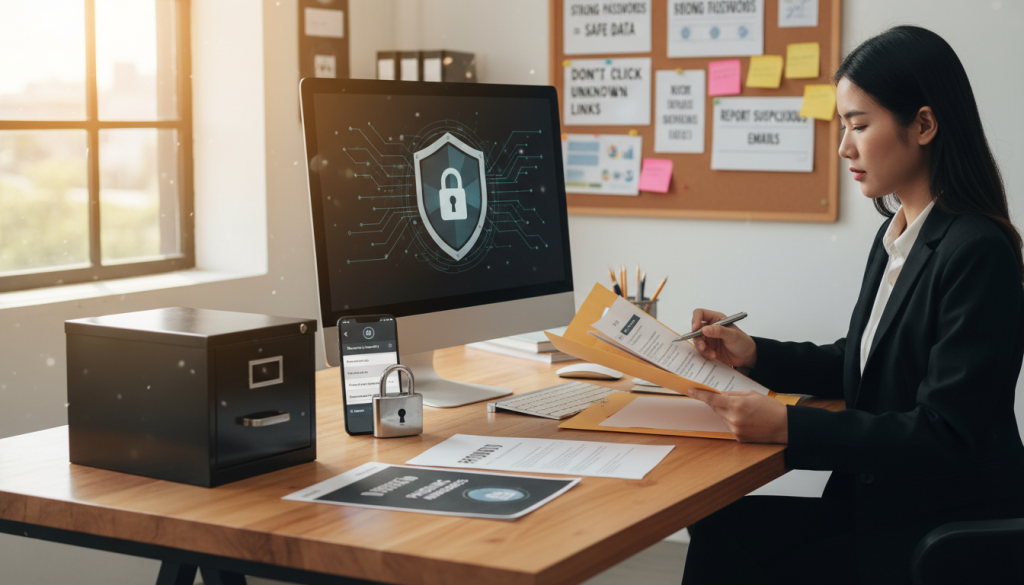
Paper documents contain valuable information, such as account numbers and Social Security numbers. To reduce risk, pick up mail quickly, use a locked mailbox, and shred sensitive documents.
Keep only essential papers at home. Save tax documents, warranties, and dispute records in a locked drawer or fire-safe box.
- Opt in to paperless statements when available.
- Shred pre-approved credit offers and old insurance forms.
- Photograph needed documents, then keep the originals secure.
Safer habits for phone calls and texts to avoid smishing, vishing, and impostor scams
Scams often sound urgent, like a bank “lock” notice or a delivery issue. They might ask for links, gift cards, or quick payments. Always pause and verify the company’s number before acting.
Be cautious of unexpected login codes. If a caller asks for codes or your full SSN, hang up. Report scam texts to your carrier’s spam folder.
Limiting data sharing by checking privacy policies and practicing data minimization
Many apps and websites collect more data than needed. Skip optional fields, limit location sharing, and turn off ad tracking when possible.
Read privacy policies to understand data collection and sharing. Look for clear options to access, correct, or delete your data. Use a guide like Privacy and Transparency Basics to check the fine print on apps.
- Choose “only while using the app” for location permissions.
- Opt out of data sharing when settings allow.
- Remove old accounts that hold profile data.
Family-focused identity theft protection, including guidance for kids, seniors, and dependent adults
Households share devices, passwords, and documents, so one weak spot can put everyone at risk. Kids face new-account fraud and synthetic identity misuse. Seniors often deal with impostor calls and account takeovers.
Keep family routines consistent: use unique passwords, enable MFA, and share fewer documents. These tips work best when everyone follows them. Use identity theft prevention resources to help set up checklists and reminders for your family.
What to Do If Identity Theft Happens
When identity theft strikes, act fast. Quick steps can prevent more harm and protect your credit. Start by containing the issue, then report and dispute any wrongdoings, and keep detailed records.
Immediate containment
First, secure your email account. If a thief has access to your email, they can change passwords on other sites. Change your email password to a strong, unique one, and enable two-factor authentication.
Next, reset passwords on your bank, shopping, and phone accounts. Log out of all devices and close active sessions where possible. These steps can block further access while you figure out what happened.
If the theft started with a suspicious site or offer, be cautious. Look for red flags and verify risks before sharing personal info. For tips on spotting scams and getting refunds quickly, check out consumer scam alerts.
Use the FTC process
File an identity theft report at IdentityTheft.gov and follow their recovery plan. This plan acts like a checklist and helps you stay organized. It also ensures you’re taking the right steps to protect your identity.
Save your report confirmation, case details, and any letters from the site. These documents are useful when you contact banks, credit bureaus, or fraud teams.
Work with banks, card issuers, and credit bureaus
Contact banks and card issuers quickly to report unauthorized transactions and get new cards. Ask what documents you need and note the outcome of each call. Clear steps and good notes are essential here.
Also, check your credit reports and dispute any unfamiliar accounts or inquiries. Track each dispute by date, method, and reference number. Remember, attackers often try again after a breach.
If unsure about a website’s safety, check for basic trust signals and risk warnings. For a guide on website safety, visit the website safety checks page. Remember, SSL alone doesn’t mean a site is safe.
File a police report when needed and keep a paper trail
You might need a police report for certain claims or disputes. If you file one, ask for a copy or report number. Keep all details in one place for ongoing identity theft protection.
A simple paper trail should include:
- Dates, times, and the name of each agency or company contacted
- Reference numbers, dispute IDs, and copies of letters or emails
- Screenshots of charges, alerts, and account messages
“If it feels rushed or confusing, they can pause, verify, and document before they respond.”
Conclusion
Identity theft is a growing problem in the United States. Scammers now use malware and ransomware instead of phishing. This can harm more than just your money. It can also damage your credit, block your access to accounts, and erode trust.
Protecting yourself from identity theft is essential. It’s like having a spare key or a smoke alarm. Using multi-factor authentication (MFA) on email, banking, and shopping sites is a good start. Also, keep strong, unique passwords in a password manager.
Safe browsing practices are important, too. Update your software and use anti-malware tools. Look for encrypted connections (e.g., TLS/SSL) and strong encryption (e.g., AES) in security programs.
Small signs can indicate identity theft early on. You might notice a new credit inquiry, a score drop, or a charge you didn’t make. Acting quickly by locking accounts and checking credit reports can help.
Preventing identity theft requires a consistent effort. It’s not a one-time task. Attackers are always changing their methods. By following best practices and having a plan, you can stay protected.